

PL-900 Step by step · Lab 2
Let Copilot Design Dataverse Tables, Then Fix What It Misses
Let Copilot propose four Dataverse tables from a description, fix what it misses, set primary columns and check the relationships.

Pragati Industries keeps its purchase requests in inboxes and its supplier list in three spreadsheets. In Lab 2 of the PL-900 course we replace them with four Dataverse tables. Copilot proposes them from a description; you check every column, because reviewing AI output is part of the job.
Why Dataverse, not a spreadsheet
- Who runs the server? Microsoft: it is managed, backed up and scaled for you.
- Security: Microsoft Entra sign-in and security roles that reach down to a single row or column.
- Business logic: business rules, formula and rollup columns, and flows.
- Rich types: choices, lookups, currency, files and auditing.
- Apps and AI use it directly; Copilot even understands its tables.
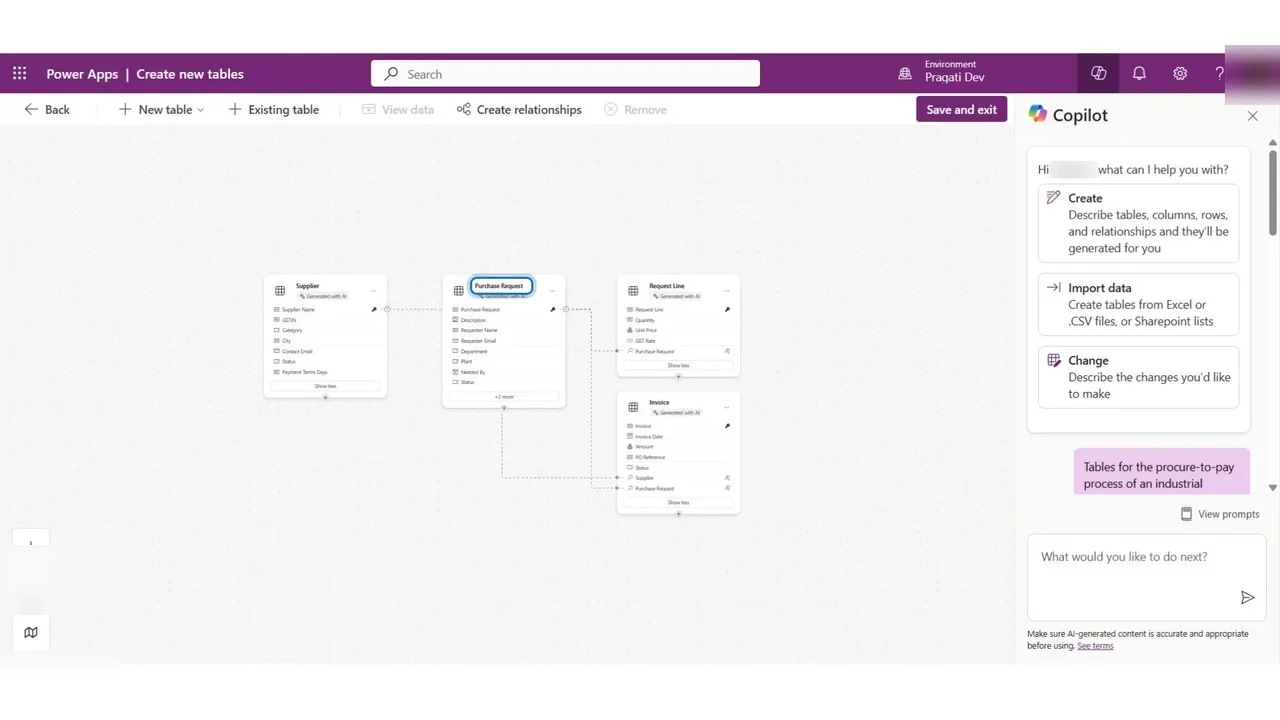
The four tables: Supplier, Purchase Request, Request Line and Invoice. A request belongs to one supplier; lines and invoices belong to one request.
Step 1: Describe the tables to Copilot
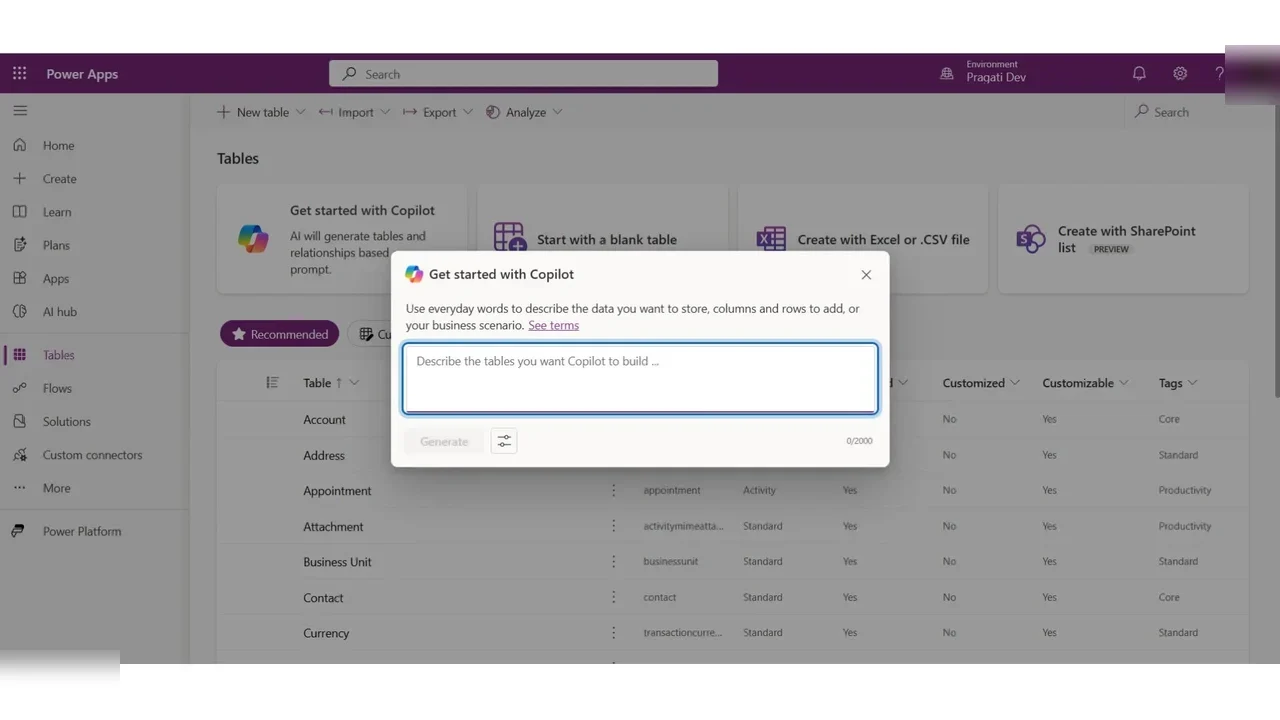
Tables → Get started with Copilot. Describe the tables in everyday words: the four tables, their columns, the choices and how they are linked. Select Generate.
Copilot proposes the four tables. The dotted lines are the relationships, and the key icon marks the primary name column.
Step 2: Review it like a reviewer
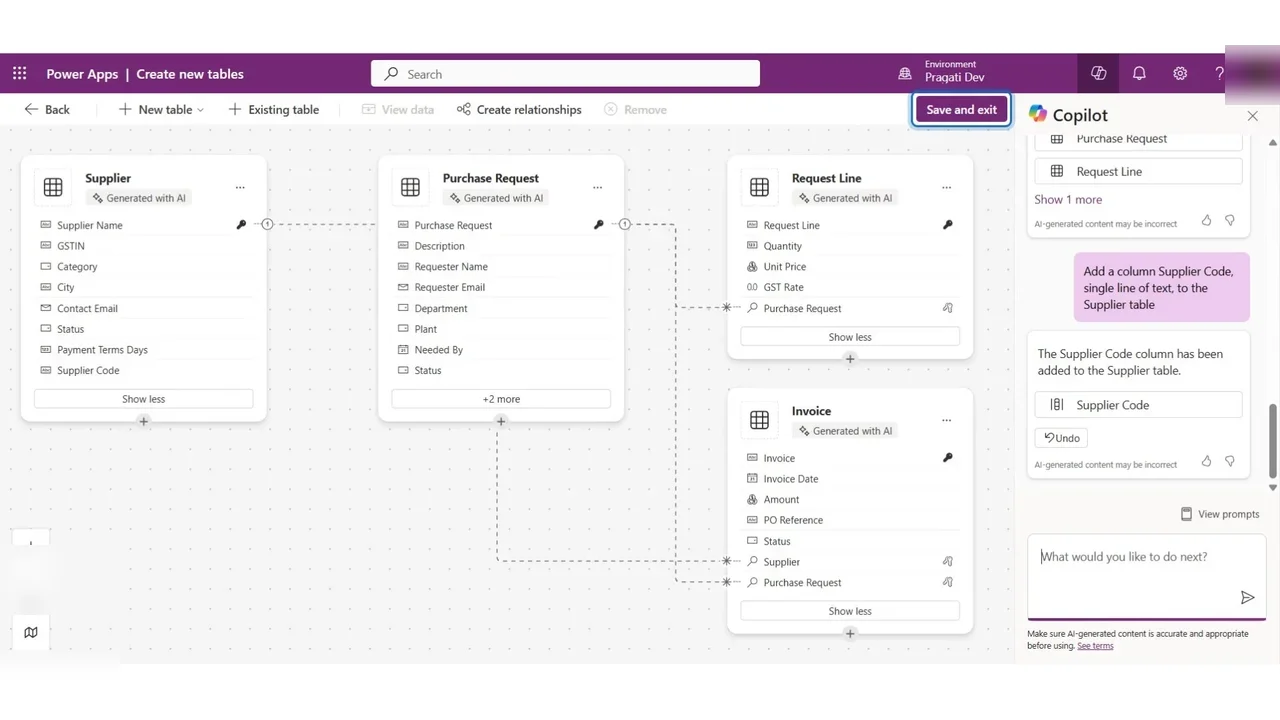
Check every table against the requirement. Supplier is missing the supplier code, although the description asked for it. AI makes mistakes like this. Ask Copilot to add it.
The solution now holds the four tables, each named with the publisher prefix pgi_.
Step 3: Primary columns and relationships
Copilot named each primary name column after its table. Change the display names to what people actually look for: Request Number, Item and Invoice Number. Only the display name changes; the logical name that apps and flows use stays the same.
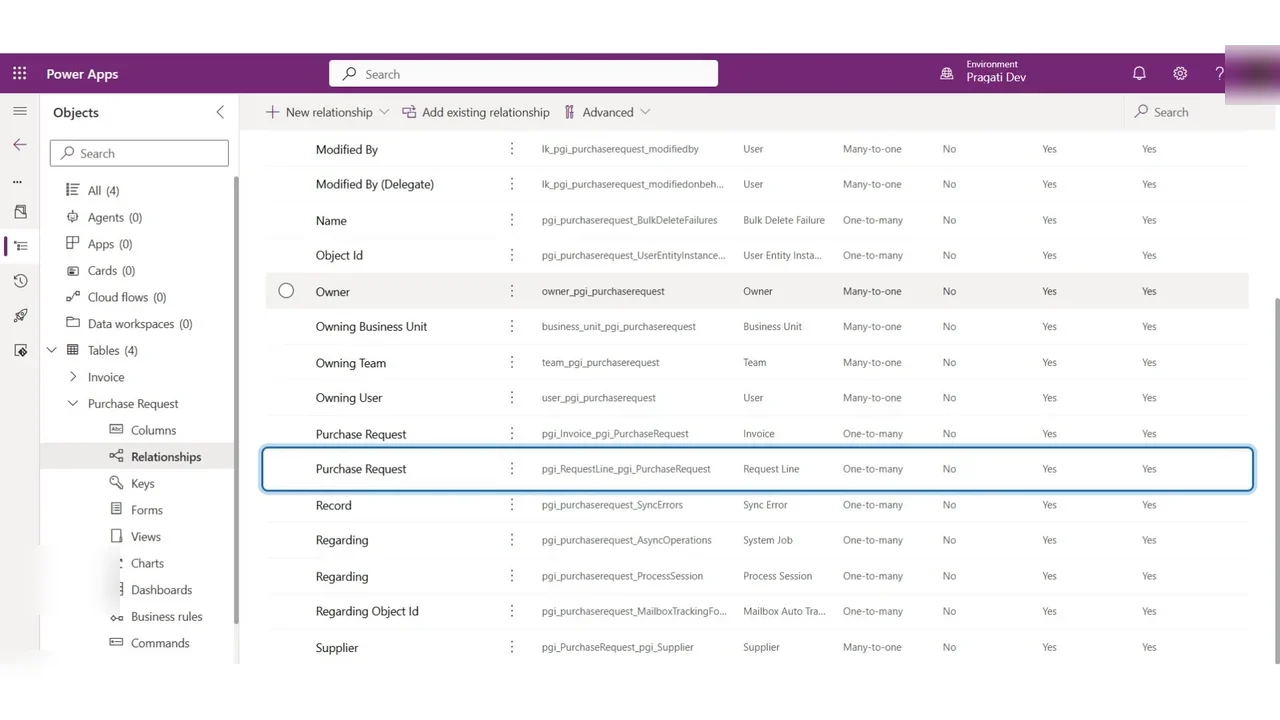
Then open Purchase Request → Relationships: many-to-one to Supplier, and one-to-many to Request Line and Invoice.
How you know it worked
The model is in place, and Import → Import data from Excel brings in the 20 real suppliers from the lab files: Dataverse maps the columns by name and asks you to confirm the possible matches.
What a tech lead should take away
- Copilot drafts, people decide. Review AI-generated schemas column by column.
- Name primary columns for humans, and never rename logical names after apps depend on them.
- One shared model under every app, flow and agent is what makes the rest of the platform work.
Do it yourself
- The full PL-900 courseEvery Part, free on YouTube, in order
- Hands-on lab guideThe exact steps, what it costs, how to clean up
- Practice simulationRehearse every click in your browser; the first lab is free
- Mock examFree 10-question sample, then the full timed mock scored by domain
Lab guides, practice and full mock exams come with a subscription. See the plans