

PL-900 Step by step · Lab 12
4 Guards That Stop a Copilot Studio Agent Making Things Up
Build the Procurement Assistant: instructions, a policy PDF as knowledge, four guards against hallucination, and a topic that guides the chat.

Procurement at Pragati Industries answers the same questions all day: who approves this request, how many quotations do I need, when is the supplier paid? The answers are in a twenty-page policy. In Lab 12 of the PL-900 course we build an agent that answers from that policy, and refuses to guess when the policy is silent.
Step 1: Create the agent
Agents run on Copilot credits, so the course uses a sandbox environment with a pay-as-you-go billing plan metered for Copilot Studio only, deleted when the labs are done.
In Copilot Studio, create an agent named Procurement Assistant. Add a description, and instructions: who the agent is, what it helps with, its tone, and one rule: name the policy section it used.
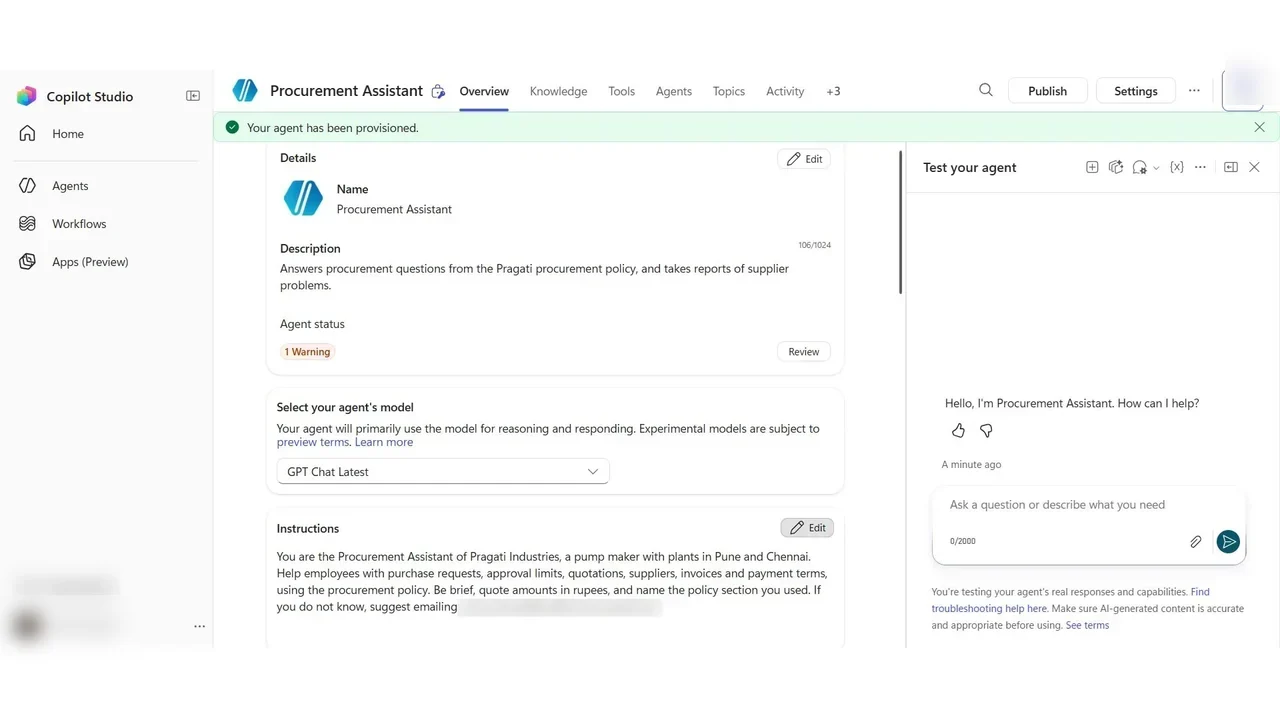
Step 2: Add the policy as knowledge, and test
Knowledge → Add knowledge: upload the procurement policy PDF. It is stored in Dataverse and indexed; a minute later its status is Ready.
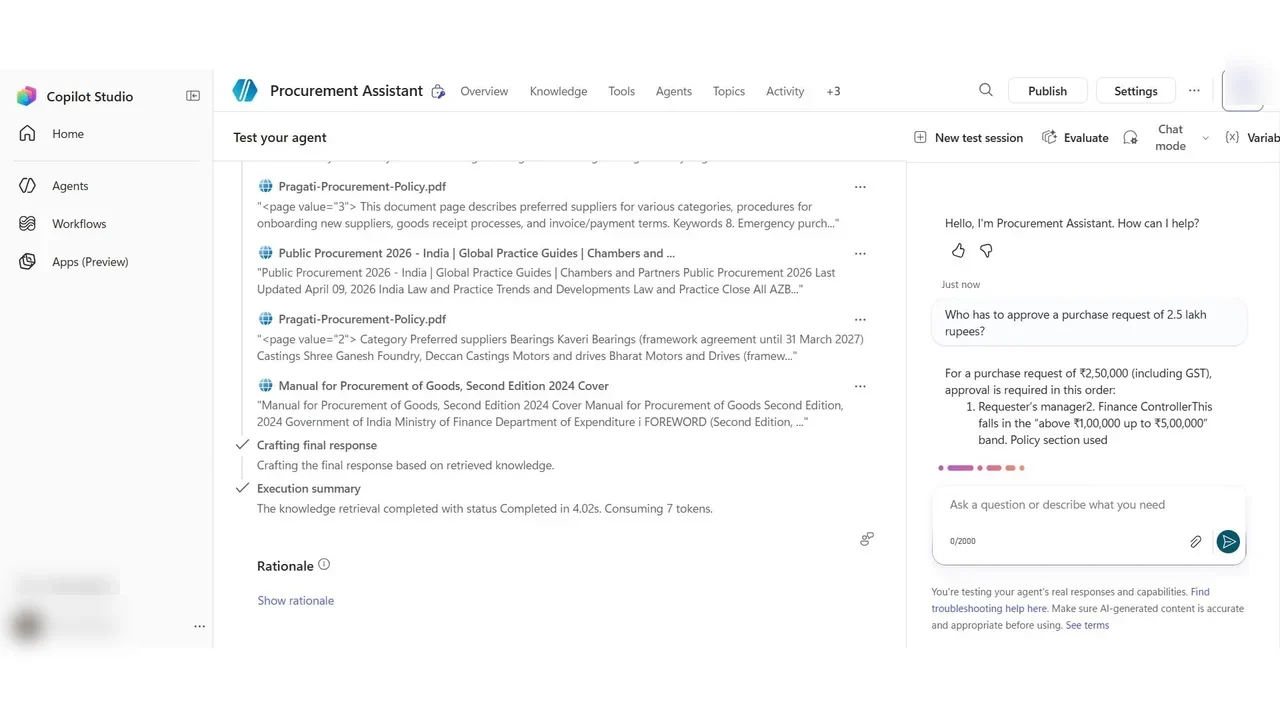
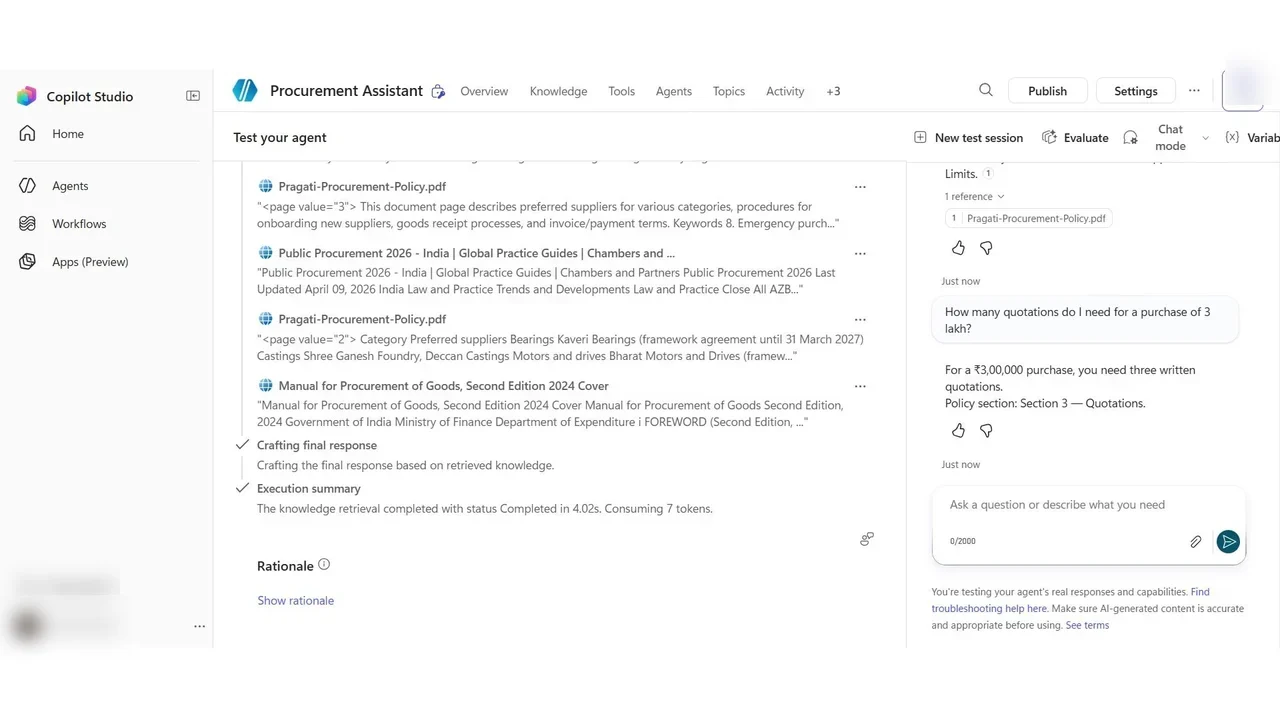
Step 3: Stop the agent from guessing
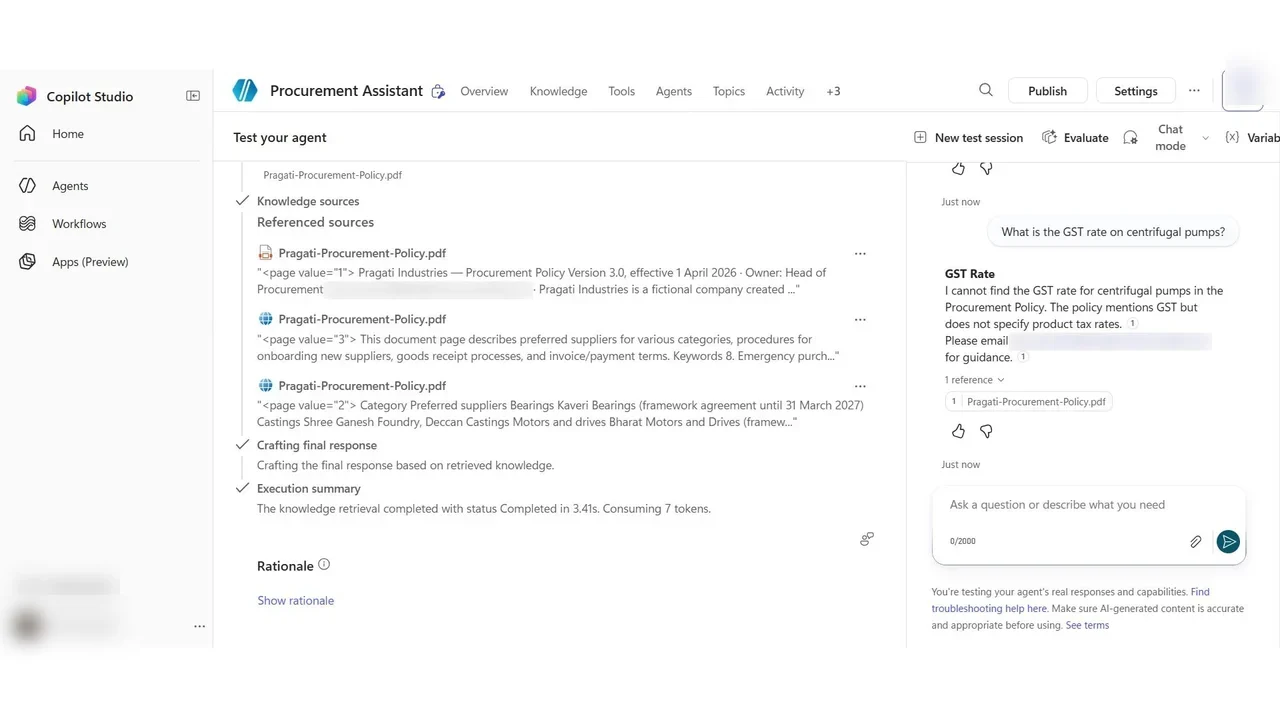
Look at what the agent searched: the policy, but also public websites about procurement in India. An answer from the web can sound right and still not be Pragati’s rule. That is a hallucination risk. Four guards:
- Moderation: a content moderation level; flagged answers are replaced by a safe message.
- Allow ungrounded responses: Off: answers only from knowledge sources or a tool.
- Use information from the web: Off.
- An instruction: answer only from the procurement policy, and when it does not say, say so.
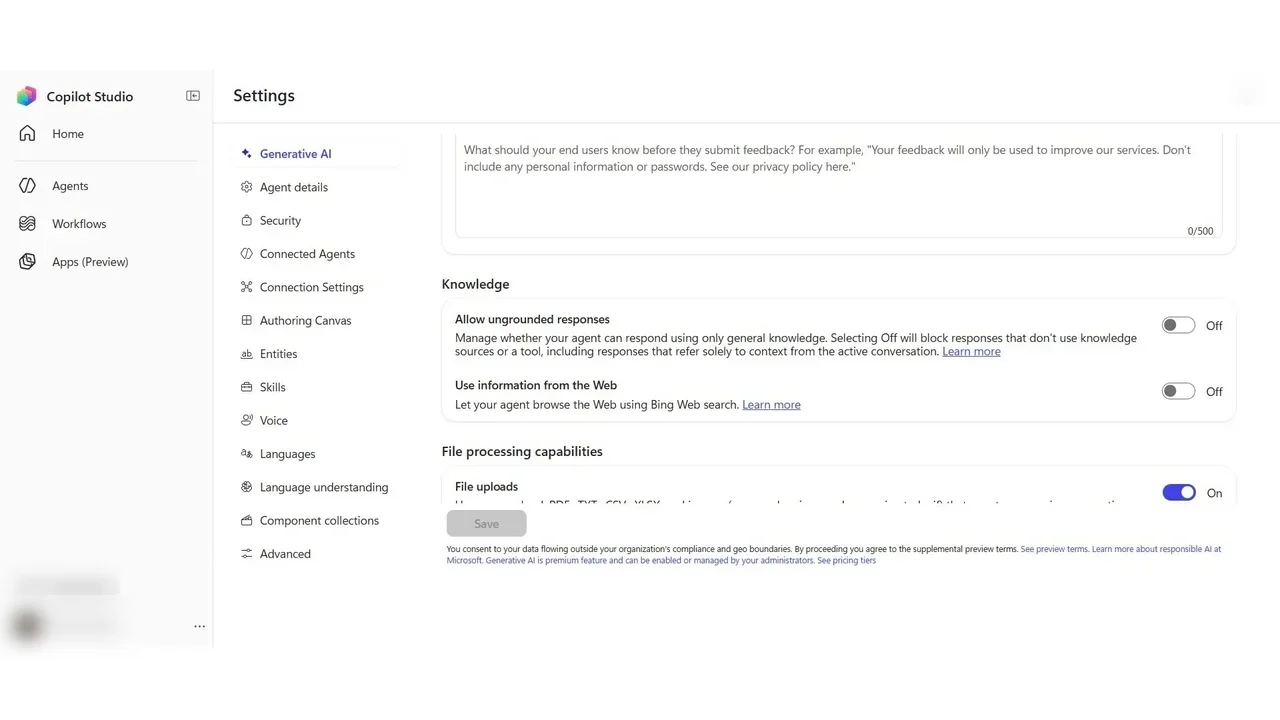
How you know it worked
Ask a question the policy cannot answer: What is the GST rate on centrifugal pumps? It does not guess a tax rate. It says the policy does not cover it, and points to procurement.
Step 4: A topic for a guided conversation
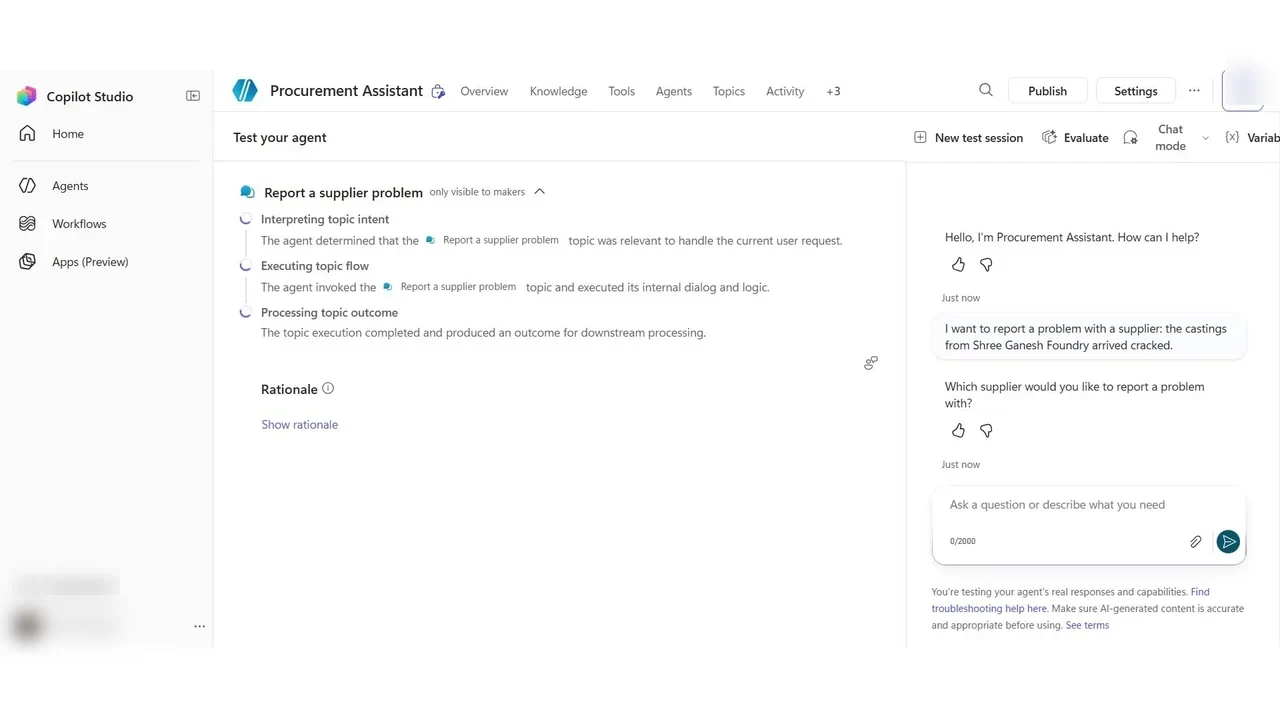
Knowledge answers questions; a topic guides a conversation. Topics → Add from description with Copilot: Report a supplier problem, asking which supplier, the kind of problem as a choice, and the request number, with a special answer for quality problems.
What a tech lead should take away
- Ground every business agent on trusted knowledge, with ungrounded answers and web search off.
- Test the “I don’t know” path, not only the happy path.
- Budget for credits and keep agent experiments in a sandbox with a capped billing plan.
Do it yourself
- The full PL-900 courseEvery Part, free on YouTube, in order
- Hands-on lab guideThe exact steps, what it costs, how to clean up
- Practice simulationRehearse every click in your browser; the first lab is free
- Mock examFree 10-question sample, then the full timed mock scored by domain
Lab guides, practice and full mock exams come with a subscription. See the plans