

AB-650 Step by step · Lab 15
Secure and Govern AI Agents in Microsoft 365
Monitor agents with the agent map and advanced hunting, protect data with DSPM for AI, measure compliance, block risky sites with Secure Access.

Once agents are in place, four questions follow: what are they doing, can they reach sensitive data, are we compliant, and where on the web can they go? In Lab 15 of the AB-650 course, Pragati Industries answers all four with tools already included in its licences and trials. Nothing here is billed.
Step 1: What are our agents doing?
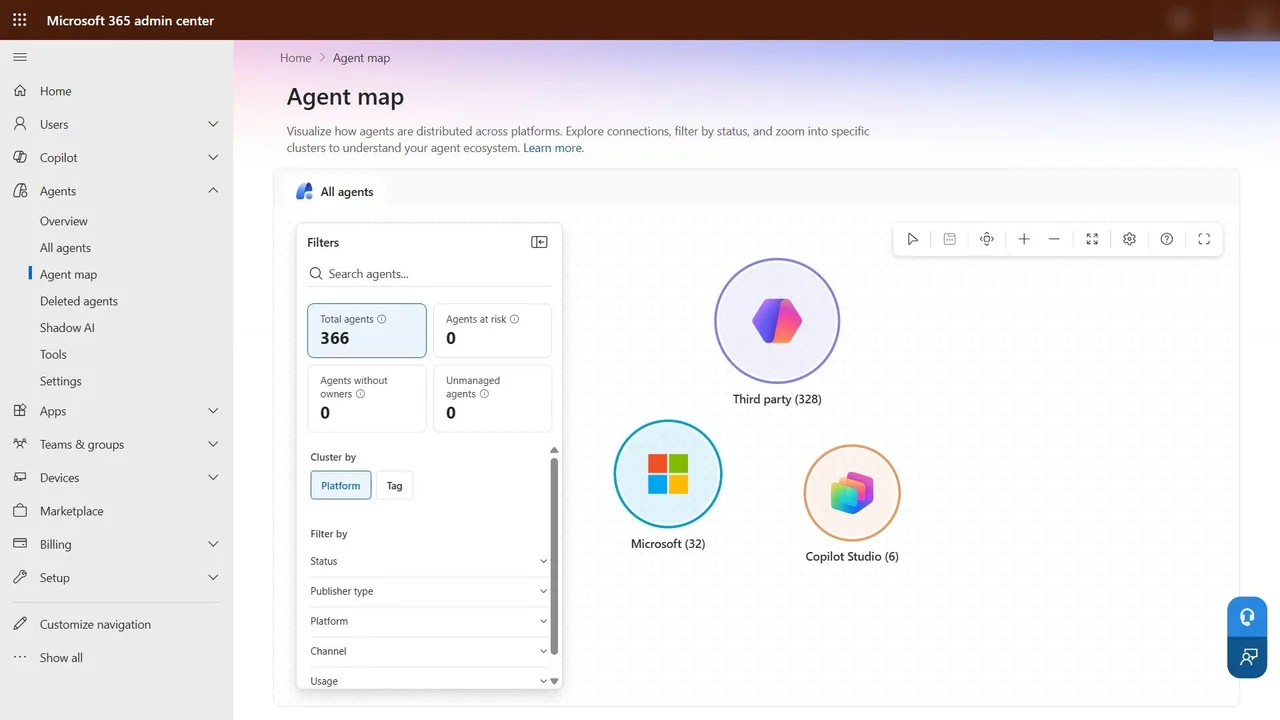
Microsoft 365 admin center → Agents → Agent map shows every agent, clustered by platform: in our tenant 366 of them, third-party agents, Microsoft’s own, and six built in Copilot Studio. Filters narrow it by status, publisher, platform, channel or usage, and cards show agents at risk, without owners, or unmanaged.
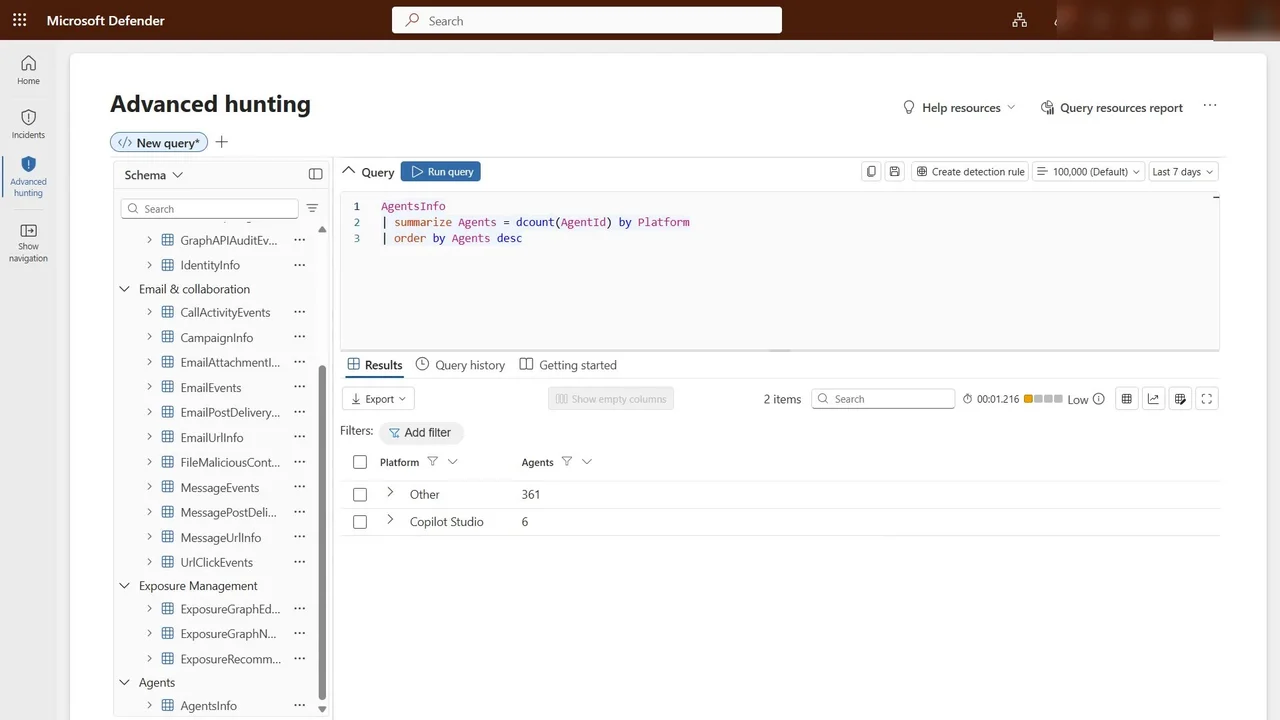
For detail, Microsoft Defender → Advanced hunting has an Agents section in the schema, with the AgentsInfo table. One query counts agents by platform.
Step 2: Keep sensitive data away from agents
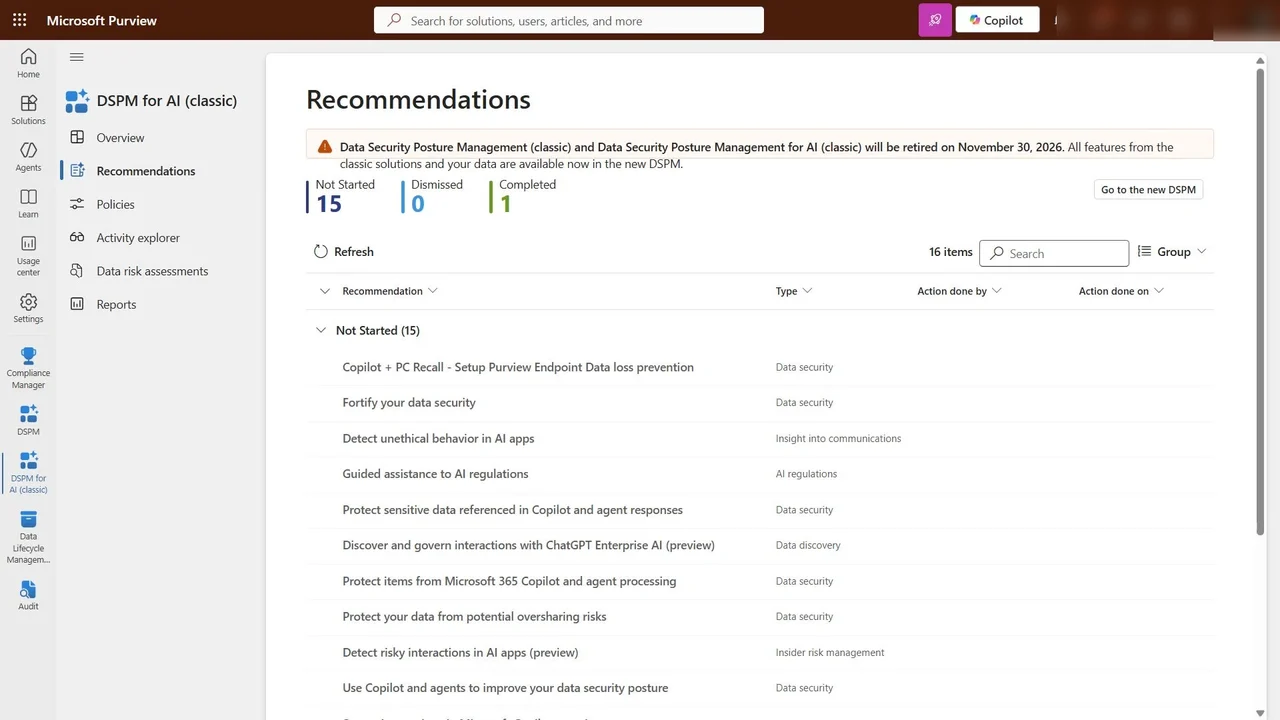
Purview → DSPM for AI gives recommendations made for Copilot and agents: protect items from Microsoft 365 Copilot and agent processing, and protect sensitive data referenced in Copilot and agent responses.
Step 3: Are we compliant?
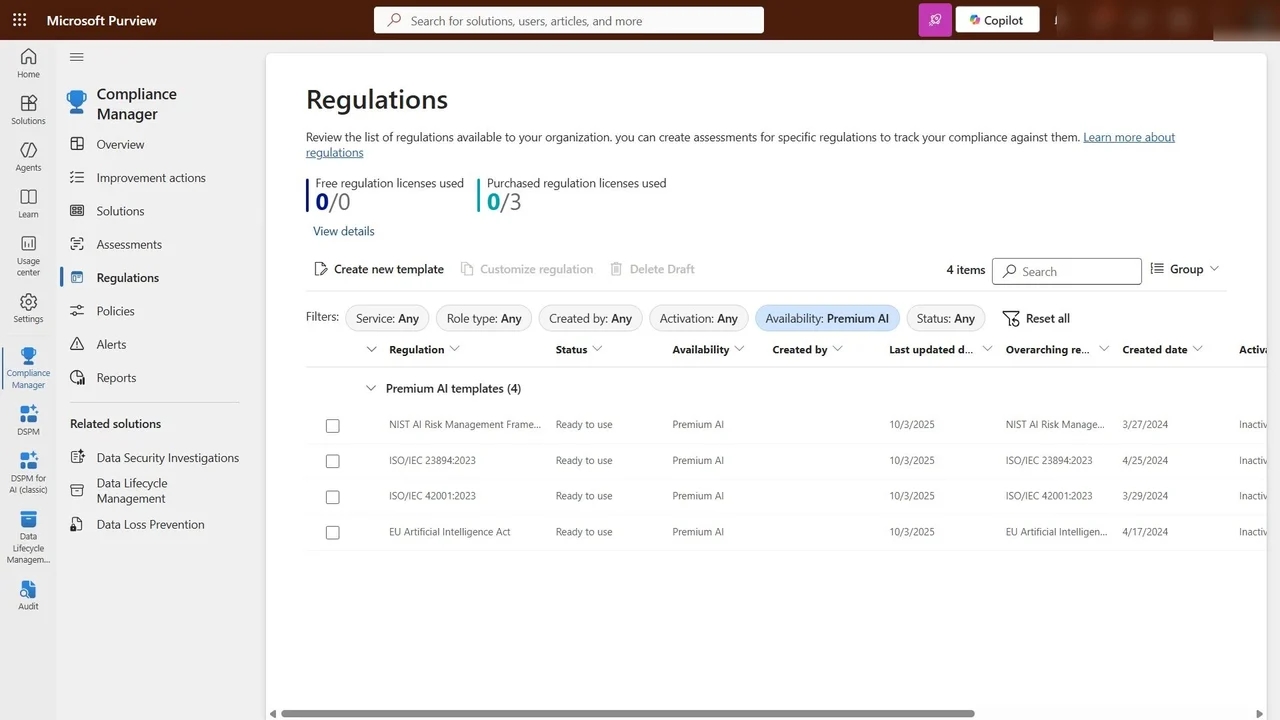
Compliance Manager builds a compliance score from improvement actions. Under Regulations, premium AI templates include the NIST AI Risk Management Framework, ISO/IEC 42001, ISO/IEC 23894 and the EU AI Act. Each becomes an assessment.
Step 4: Control where agents can go
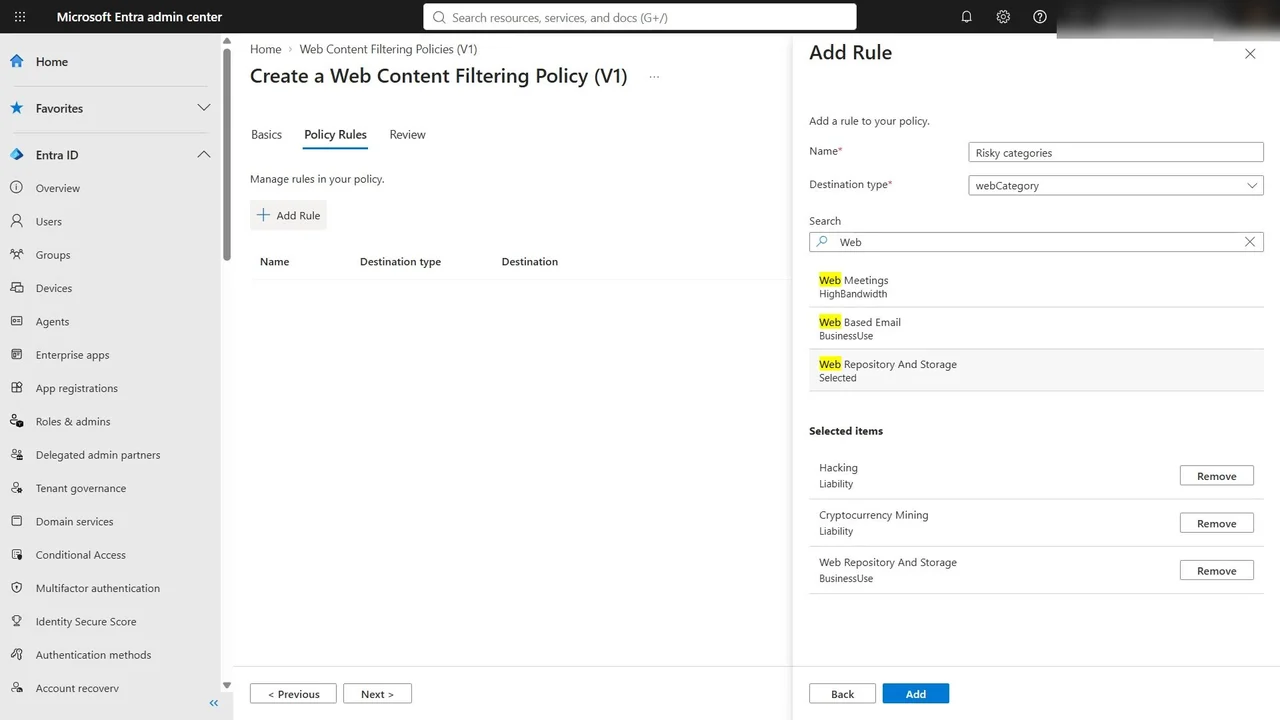
Agents call websites and APIs. Entra → Global Secure Access → Web content filtering policies → Create policy: name Agents Block Risky, action block, and a rule for risky categories: hacking, cryptocurrency mining, and web repositories and storage, where an agent could paste company data.
How you know it worked
The agent map and hunting query agree on the inventory; DSPM shows the Copilot and agent protections in place; Compliance Manager shows the score and the open actions; and the web filtering policy is ready to link to a profile.
What a tech lead should take away
- Inventory first. You cannot govern agents you cannot see.
- Data protection for agents is the same as for Copilot: labels and DLP.
- Give every agent an owner, and treat “agents without owners” as an incident, not a statistic.
Do it yourself
- The full AB-650 courseEvery Part, free on YouTube, in order
- Hands-on lab guideThe exact steps, what it costs, how to clean up
- Practice simulationRehearse every click in your browser; the first lab is free
- Mock examFree 10-question sample, then the full timed mock scored by domain
Lab guides, practice and full mock exams come with a subscription. See the plans