

AB-650 Step by step · Lab 8
3 Conditional Access Templates Every Tenant Needs First
Create MFA for admins, MFA for everyone and block legacy auth from Entra templates in report-only mode, test with What If, then add ID Protection.
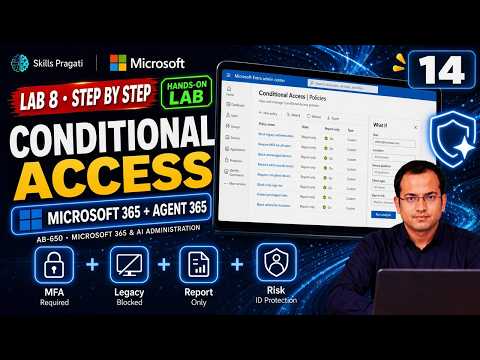
Conditional Access decides who gets in, from where, and with what proof. Three policies give most tenants the biggest gain for the least effort: MFA for admins, MFA for everyone, and block legacy authentication, because old mail protocols cannot do MFA at all.
The safe way to add them is from Microsoft’s templates, in report-only mode first. This is Lab 8 of the AB-650 course.
Before you start
- Create two break-glass accounts: cloud-only Global Administrators, excluded from every policy.
- Security defaults cannot run alongside policies that are On. You turn them off when you switch your policies on.
- Run each policy in report-only first. (In the shared course tenant, security defaults stay on, so our policies stay report-only.)
Step 1: Create the policies from templates
- Entra → Conditional Access → Policies → New policy from template.
- Under Secure foundation, choose Require multifactor authentication for admins, then Review + Create.
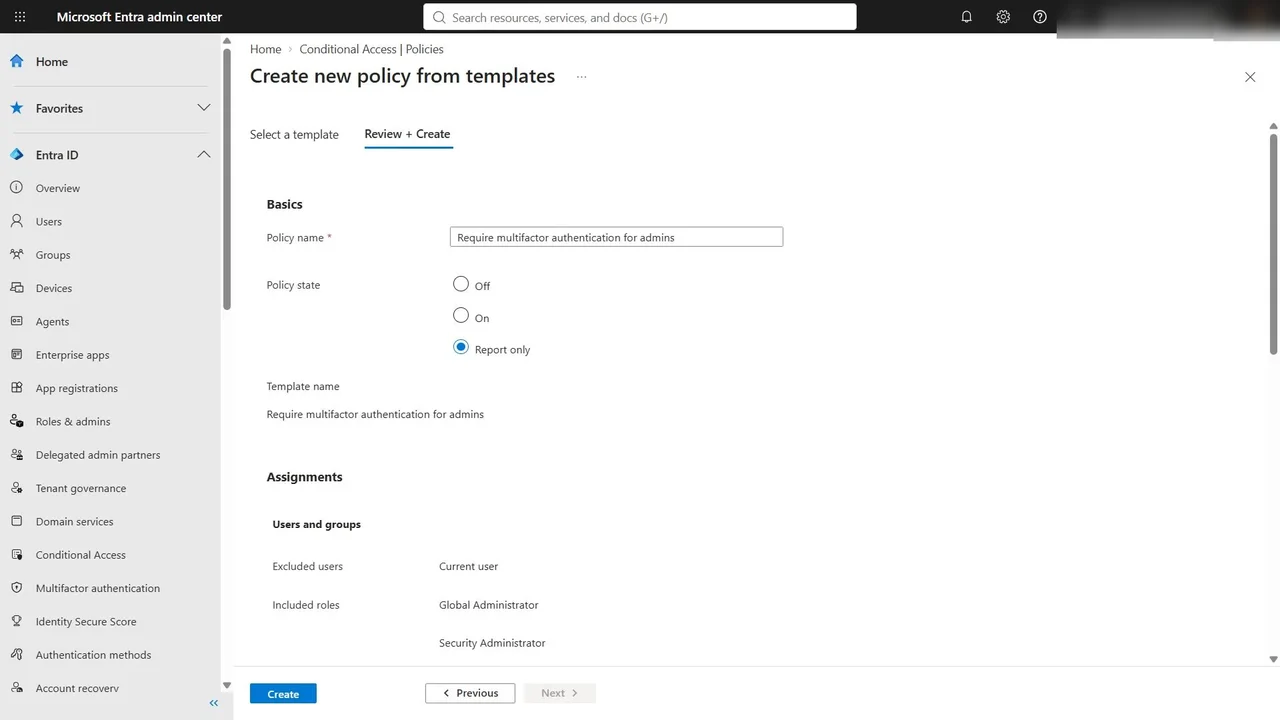
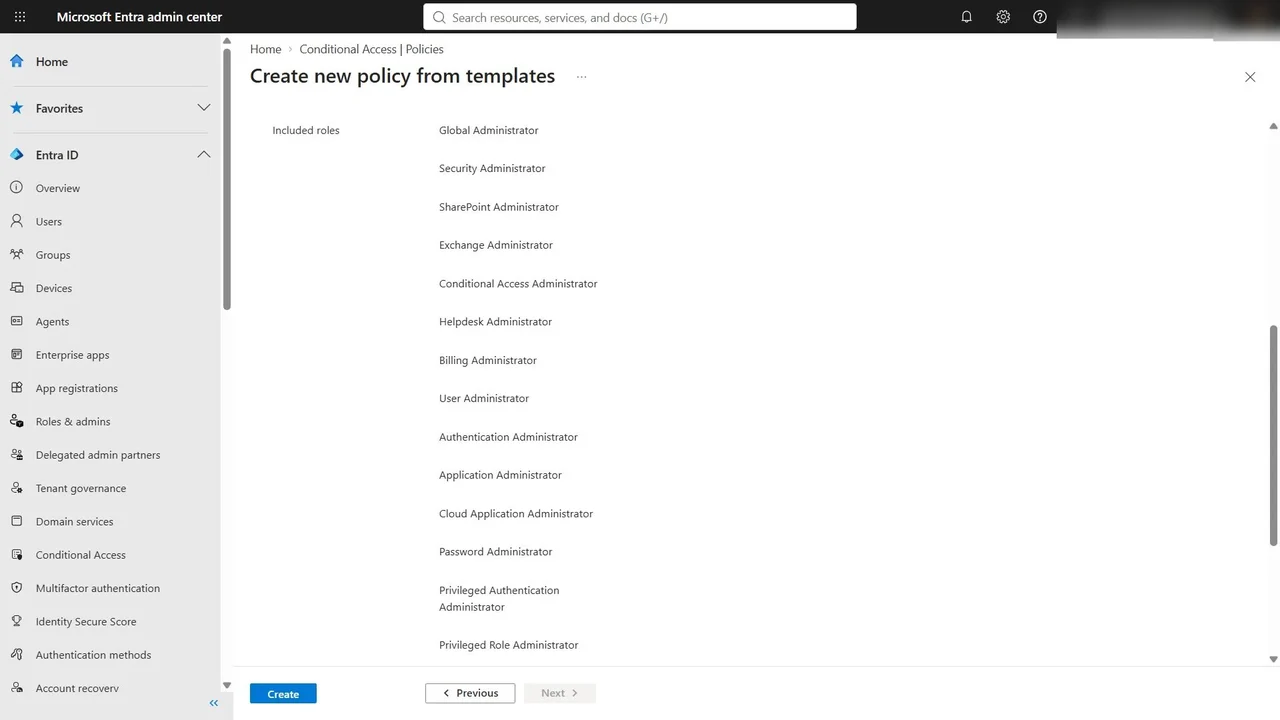
The template excludes the signed-in admin, so you cannot lock yourself out, and includes fourteen admin roles, all apps, and grant with MFA.
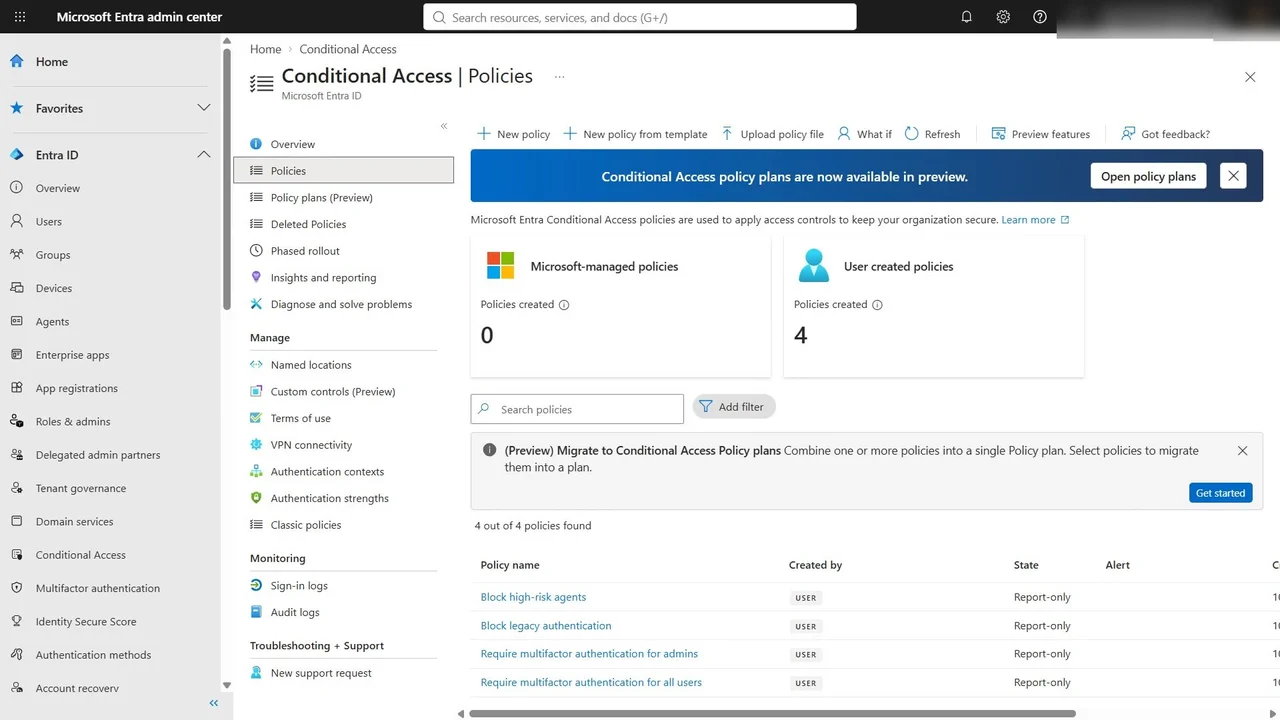
- Repeat with Require multifactor authentication for all users and Block legacy authentication, each in report-only.
Step 2: Test with What If
What if Lynne signs in? User Lynne Robbins, cloud app Office 365 Exchange Online, from Windows in a browser.
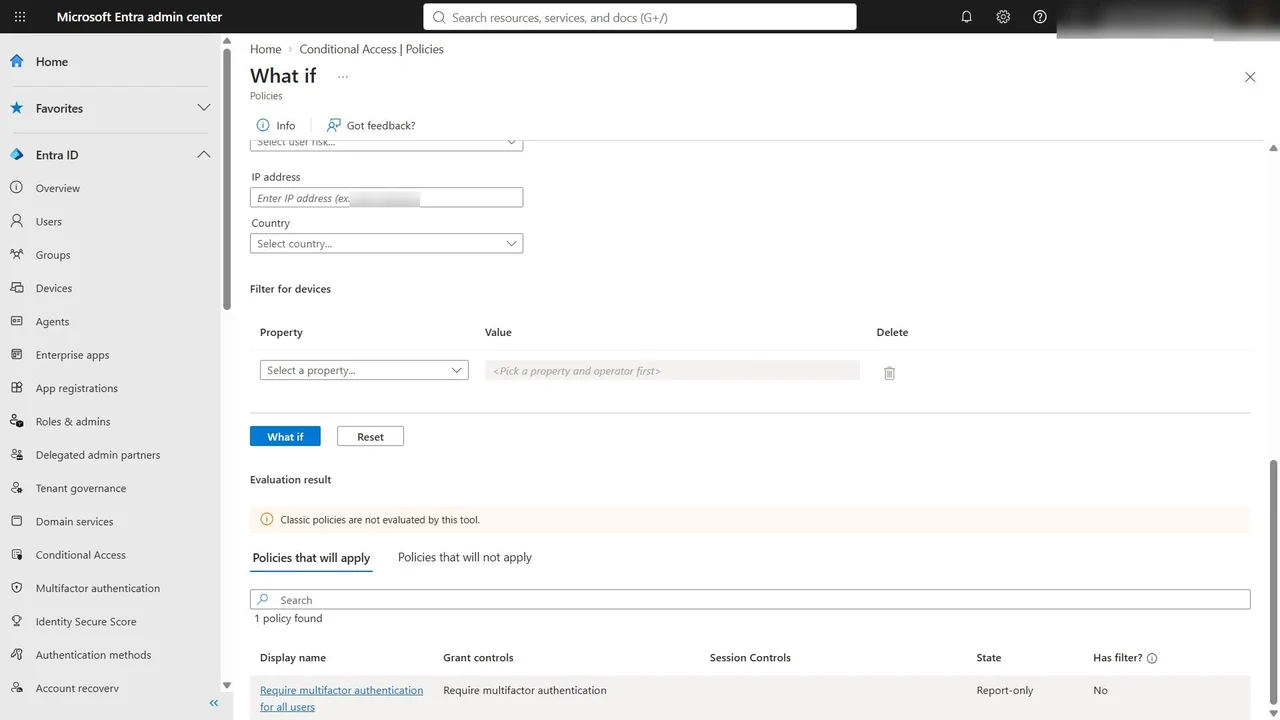
Run the same sign-in from an old mail client (Other clients), and Block legacy authentication applies too.
Step 3: Add risk with ID Protection
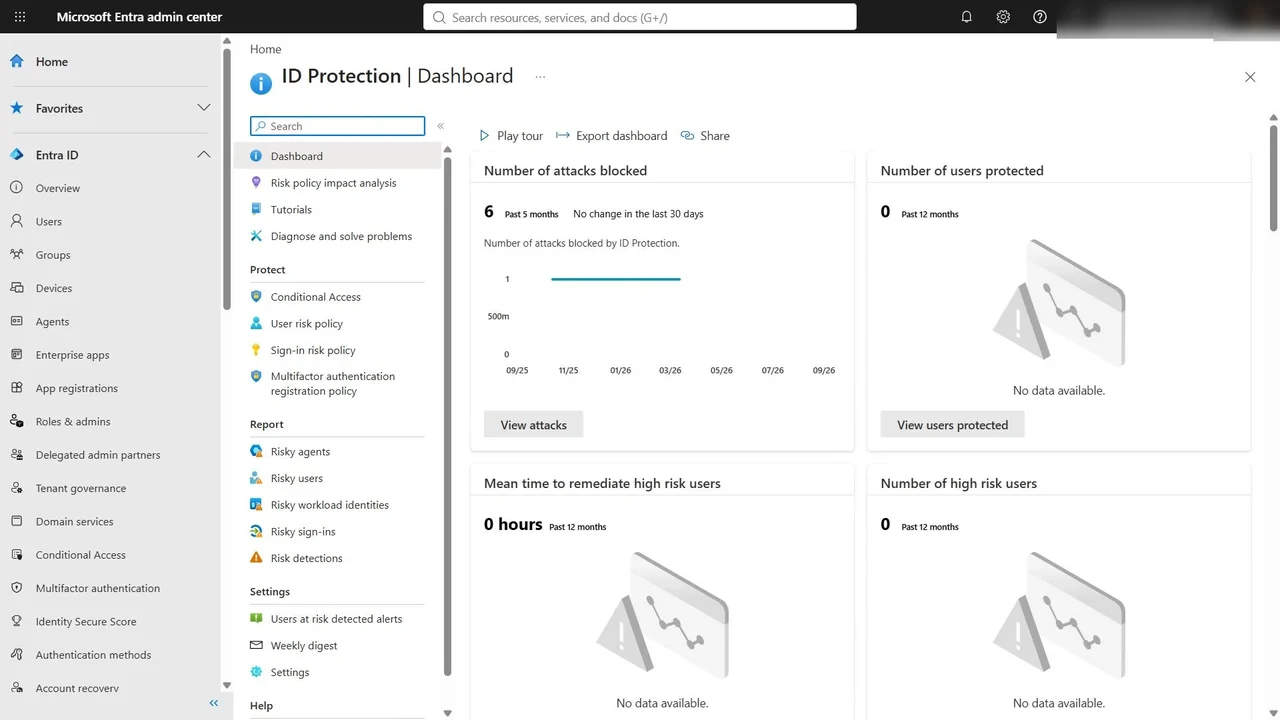
ID Protection → Dashboard shows attacks blocked, and the users and sign-ins Microsoft scores as risky, from leaked credentials to anonymous IP addresses. From Risky users and Risky sign-ins you confirm compromise or dismiss the risk.
How you know it worked
What If shows the expected policies for each test sign-in, and Insights and reporting shows what report-only policies would have done to real sign-ins. Watch it for a week before enforcing.
The rollout, in order
- Check Insights and reporting for a week.
- Exclude the break-glass accounts.
- Turn security defaults off, then switch the policies on.
- Then add the risk-based policies from ID Protection.
Do it yourself
- The full AB-650 courseEvery Part, free on YouTube, in order
- Hands-on lab guideThe exact steps, what it costs, how to clean up
- Practice simulationRehearse every click in your browser; the first lab is free
- Mock examFree 10-question sample, then the full timed mock scored by domain
Lab guides, practice and full mock exams come with a subscription. See the plans