

Build Apps with Microsoft Copilot Managed Runtime Step By Step Course guide
Build 4 Real Apps With Copilot Managed Runtime
Describe an app and Copilot builds it, Microsoft runs it, IT governs it. Build four real apps with Cowork, Copilot Studio, Copilot Code and the CLI.

Describe an app, and Copilot builds it. Microsoft runs it for you, and IT governs it. That is Copilot Managed Runtime: a real web app that Copilot builds and Microsoft hosts inside your tenant, with no server and no app store. People sign in as themselves, and the app can only do what that person is allowed to do.
The problem
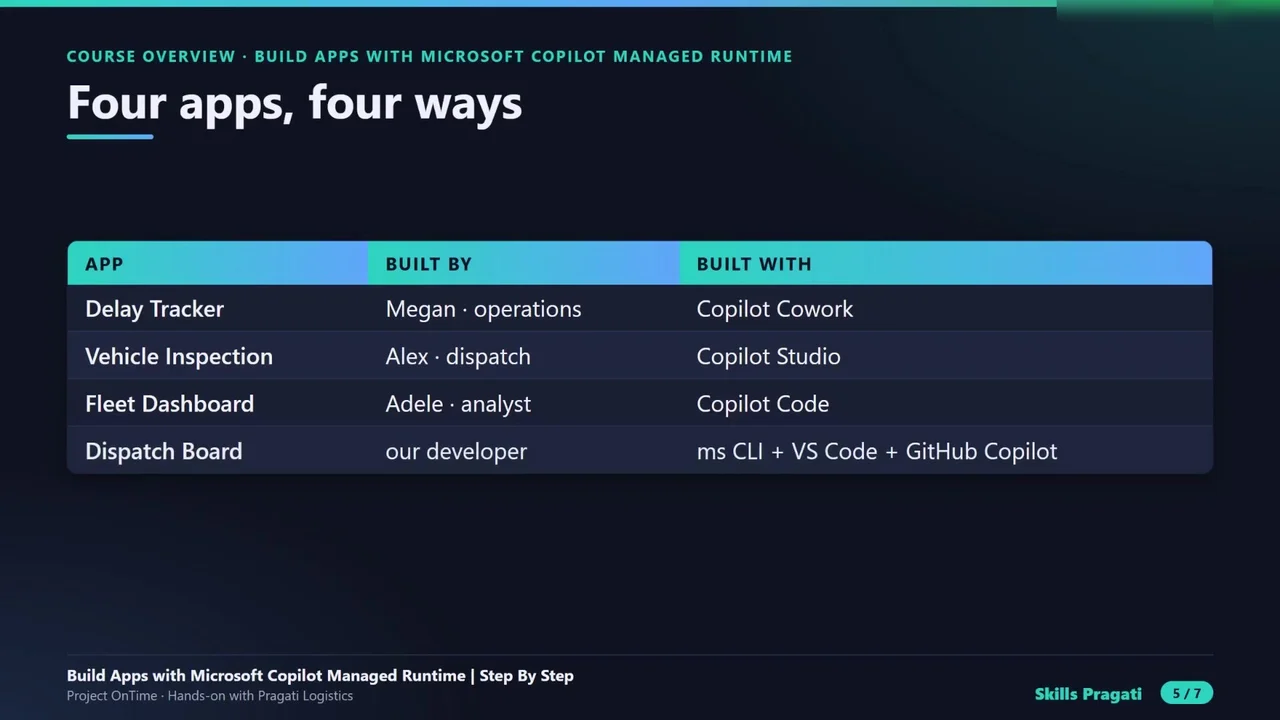
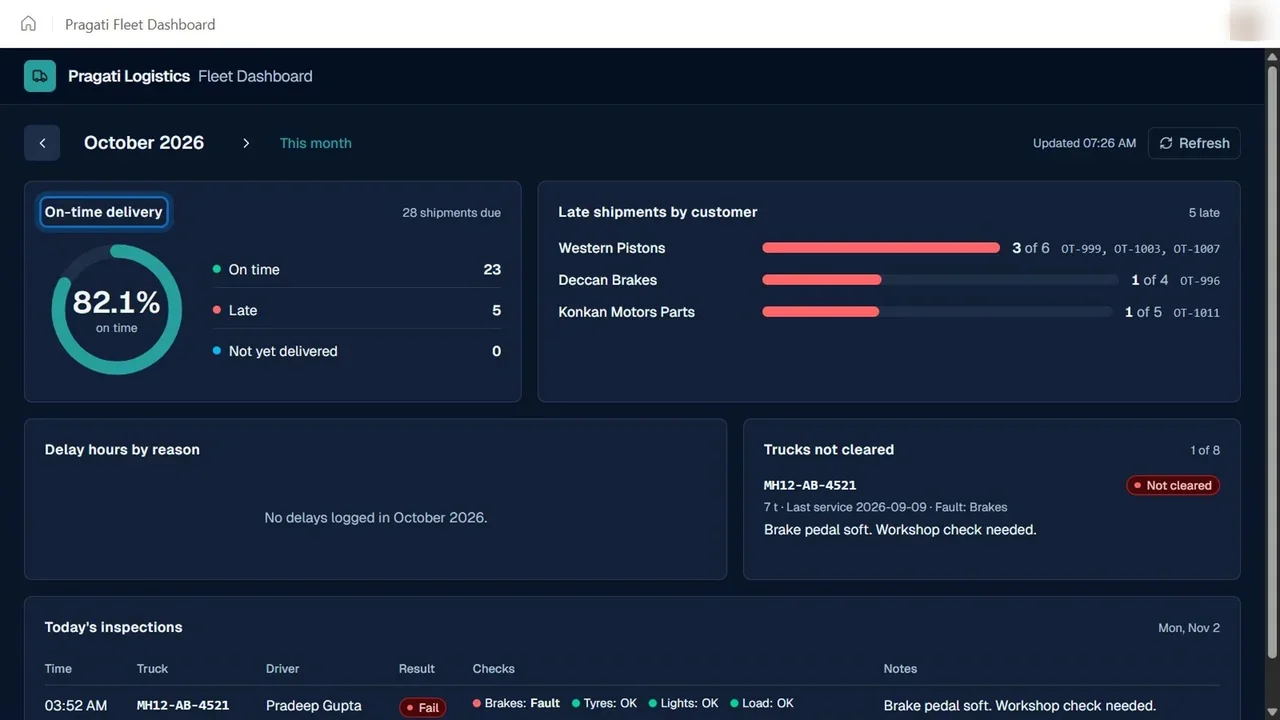
Pragati Logistics runs forty trucks and twelve hundred shipments a month, and eighteen percent of them are late: trucks leave unfit, dispatch is blind, and delays are found too late. Four people fix it, with four apps, one for each way of building.
Four ways to build
- Copilot Cowork: describe the app in a chat. Use it when you need something this week.
- Copilot Studio apps: review a plan, then refine. Use it when a team relies on the app every day.
- Copilot Code: direct a coding agent. Use it for charts, calculations and real logic.
- The ms command line with VS Code: you own the code. Use it to integrate, scale and maintain an app for years.
Real problems, and the fixes
The course shows what goes wrong, not only what works: the first build failed because the environment had no Dataverse database; Copilot Studio could not edit a chat-built app, so a developer took it over in code; and a rule that IT removed stayed applied on the environment. You learn where to look.
Cost, honestly
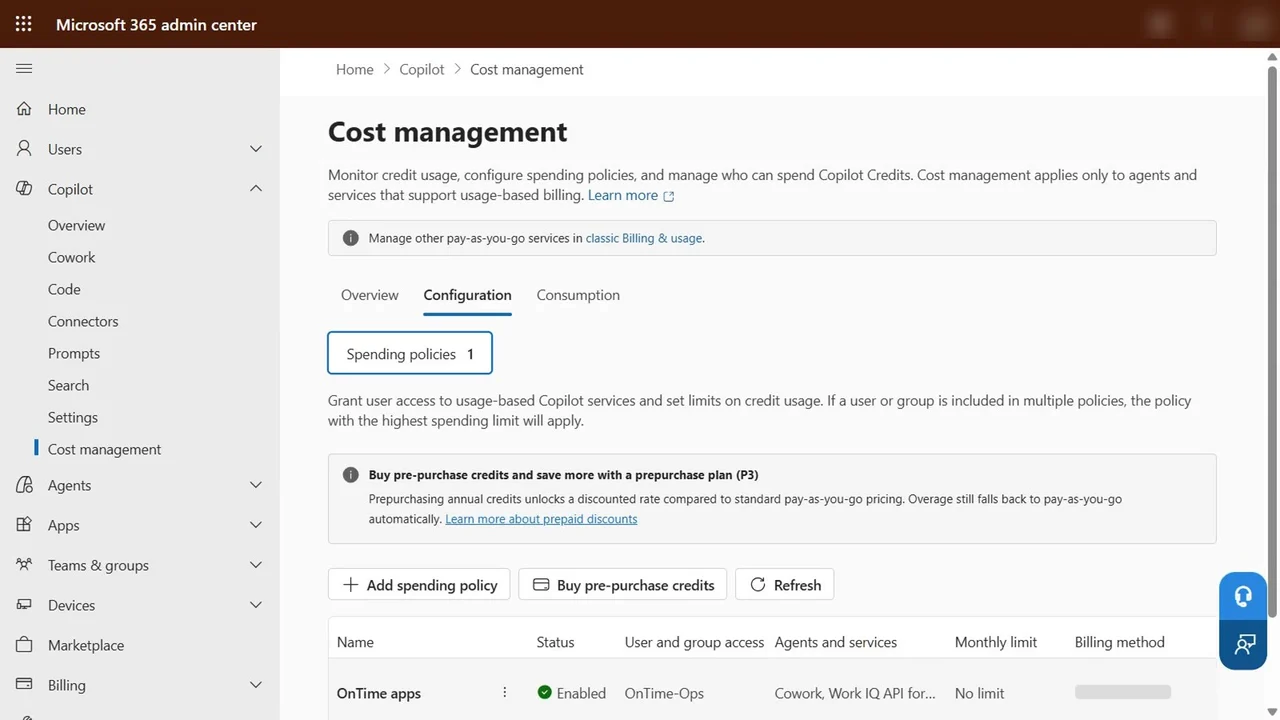
The course uses pay-as-you-go; the real bill so far is about 1,500 credits, roughly fifteen dollars. So the guardrails come first (a budget and a spending policy), and everything is deleted at the end.
The full course is free on YouTube
The overview above is the first of 42 videos. Start with Part 0, then follow the steps in order.
Do it yourself
- The full Build Apps with Microsoft Copilot Managed Runtime Step By Step courseEvery Part, free on YouTube, in order
- Hands-on lab guideThe exact steps, what it costs, how to clean up
- Practice simulationRehearse every click in your browser; the first lab is free
- Mock examFree 10-question sample, then the full timed mock scored by domain
Lab guides, practice and full mock exams come with a subscription. See the plans