

SC-500 Step by step · Part 11
Security Copilot Cost: What 1 SCU a Month Really Costs
How Security Copilot capacity works: provisioned and overage security compute units, what one unit costs per month, and why the E5 inclusion matters.

Security Copilot can summarise an incident, write KQL and explain a script in seconds. Before anyone types a prompt, a security lead has to answer a money question: who pays, and how much?
Part 11 of the SC-500 course shows the setup page without buying anything, because in the lab tenant the Microsoft 365 E5 inclusion was not active yet.
Step 1: Where capacity lives
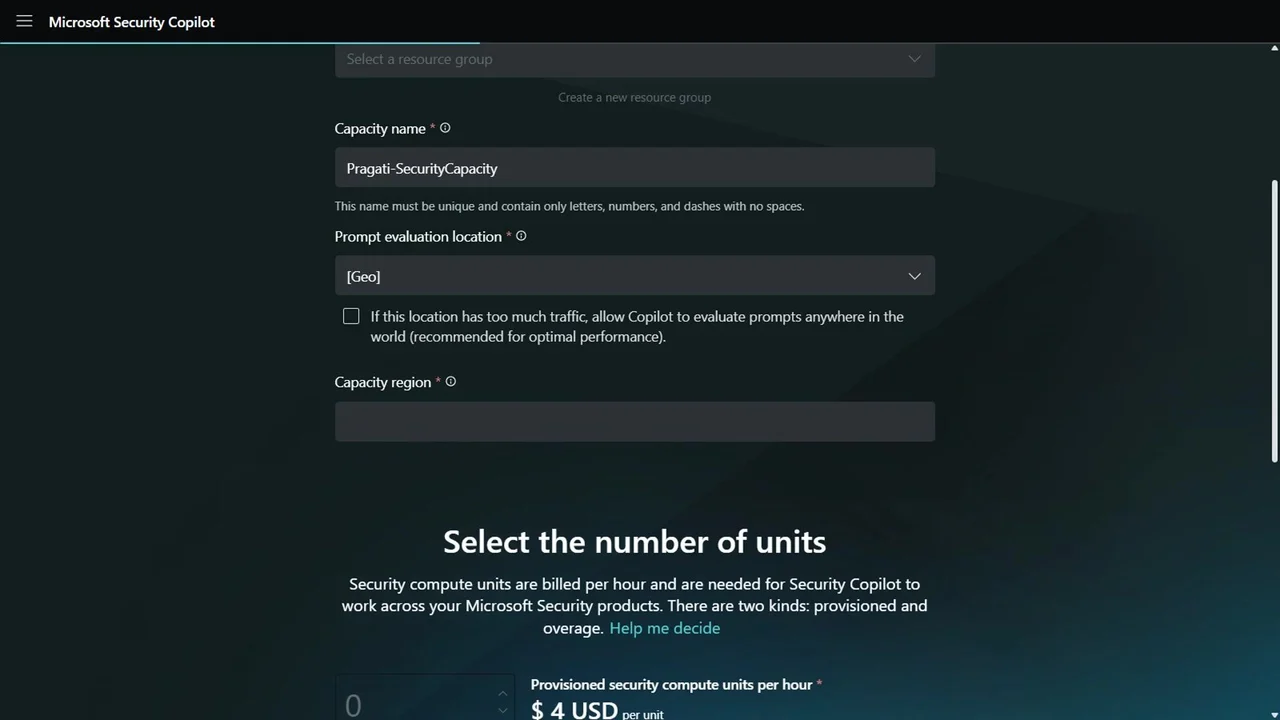
At securitycopilot.microsoft.com, a tenant without capacity is asked to set up security capacity: an Azure subscription and resource group, a capacity name, and two locations: where prompts are evaluated, and the capacity region.
Step 2: Provisioned vs overage units
- Provisioned security compute units (SCUs): $4 per unit per hour, billed whether you use them or not.
- Overage units: $6 each, used only when the provisioned ones run out, with an optional max limit.
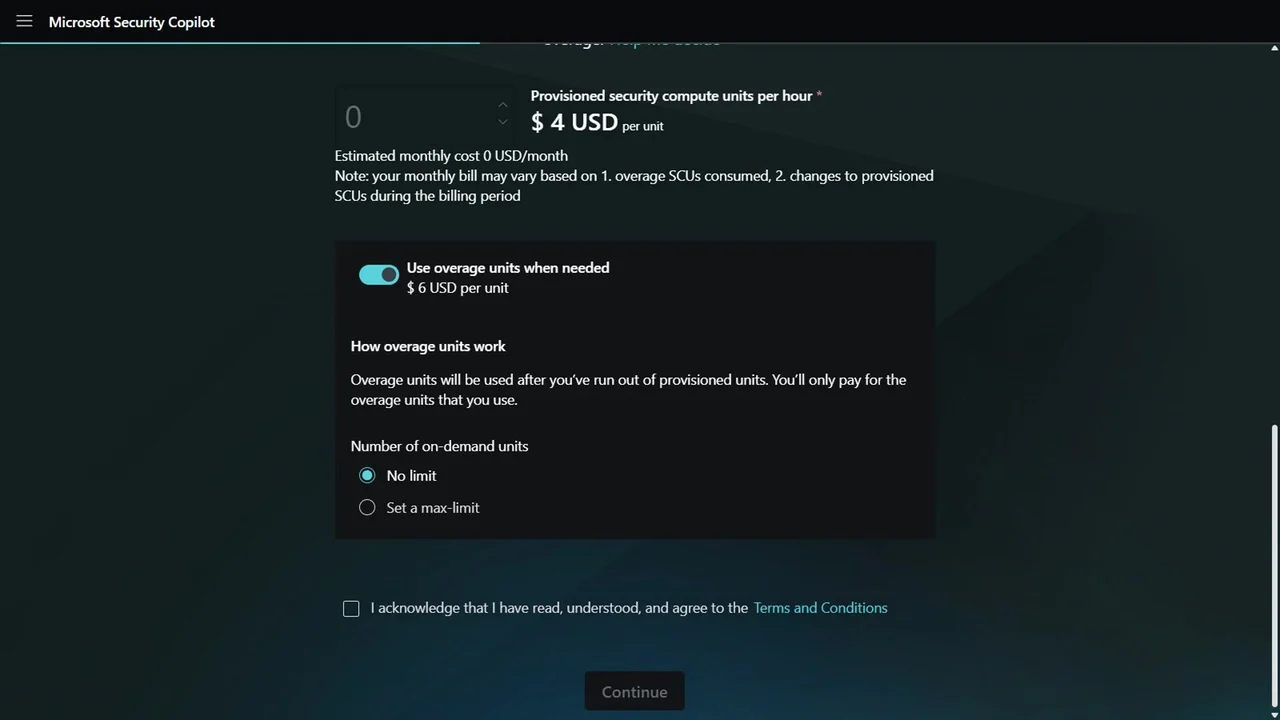
One provisioned unit all month is about $3,000, which is why the Microsoft 365 E5 allowance matters: E5 tenants get a monthly SCU allowance included, rolled out tenant by tenant.
We stopped here: nothing was created and nothing was billed.
Roles and access
- Copilot owner manages settings, plugins and capacity; keep it to a few admins.
- Copilot contributor uses prompts and promptbooks.
- Underlying permissions still apply: Copilot acts on behalf of the signed-in user, so a contributor without Sentinel access gets no Sentinel data.
What a tech lead should take away
- Check the E5 inclusion before buying capacity.
- Cap overage with a max limit, or one busy week becomes a surprise bill.
- Plan workspaces and roles for least privilege; Copilot never sees more than its user can.
Do it yourself
- The full SC-500 courseEvery Part, free on YouTube, in order
- Hands-on lab guideThe exact steps, what it costs, how to clean up
- Practice simulationRehearse every click in your browser; the first lab is free
- Mock examFree 10-question sample, then the full timed mock scored by domain
Lab guides, practice and full mock exams come with a subscription. See the plans