

SC-500 Step by step · Part 6
Azure VMs With No Open Ports: Bastion, JIT and Defender
Build a Trusted launch VM with encryption at host, reach it with Bastion, keep port 22 closed with just-in-time access, and turn on Defender for Servers.

An open RDP or SSH port on the internet is found by scanners within minutes. Part 6 of the SC-500 course builds Pragati Logistics’ app server with no public IP and no open management port, and still lets admins in when they need to.
Step 1: A Trusted launch VM with encryption at host
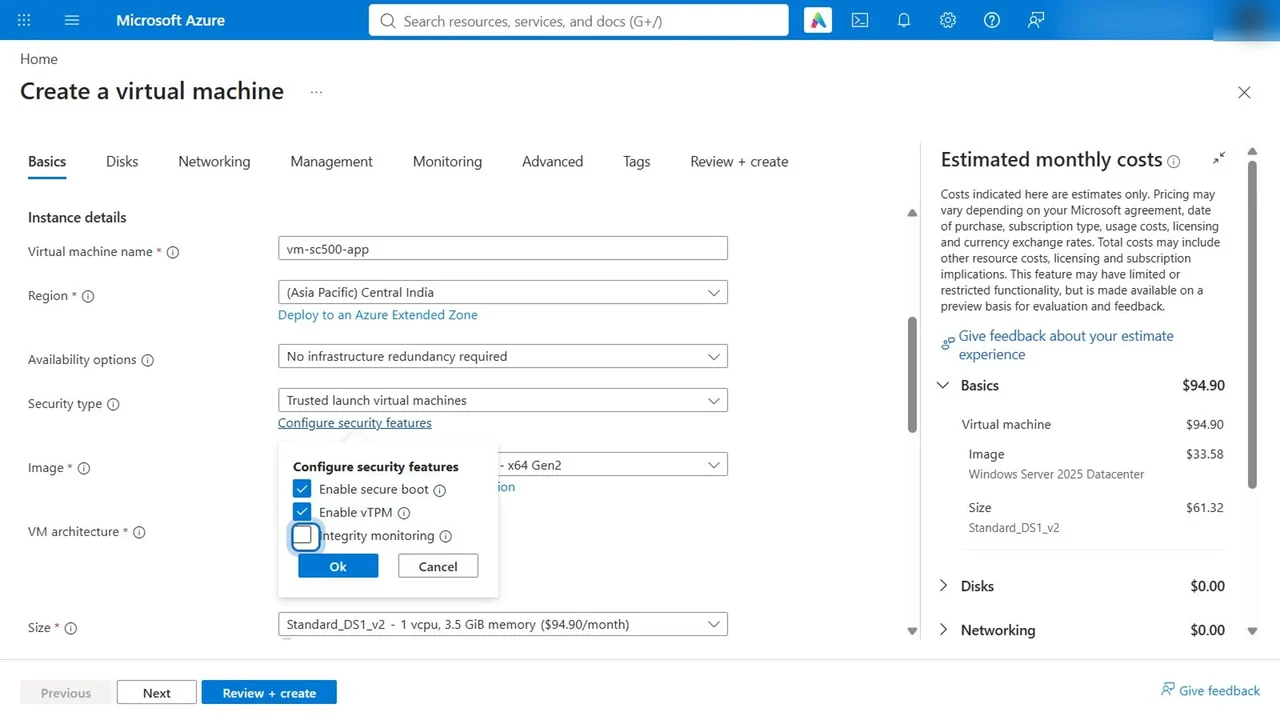
Create a virtual machine: vm-sc500-app, Central India, security type Trusted launch. In Configure security features, keep secure boot and vTPM on and tick integrity monitoring, so Defender for Cloud can check every boot.
- Image: Ubuntu Server 24.04; sign-in with an SSH key, never a password.
- Public inbound ports: none.
- Disks: encryption at host, so the temporary disk and the disk caches are encrypted on the host, with no agent in the guest.
Step 2: Reach it with Bastion
Connect, Bastion. With no Bastion in the network, the portal offers the Developer SKU: free, shared, created on first connect. Sign in with the SSH key, and a session opens in the browser. Inside, mokutil --sb-state confirms secure boot enabled.
Step 3: Just-in-time access for direct tools
Turn on Defender for Servers Plan 2 (Step 4), then on the VM, Configuration, Enable just-in-time. Defender writes a JIT policy and adds a deny rule for the management ports to the NSG.
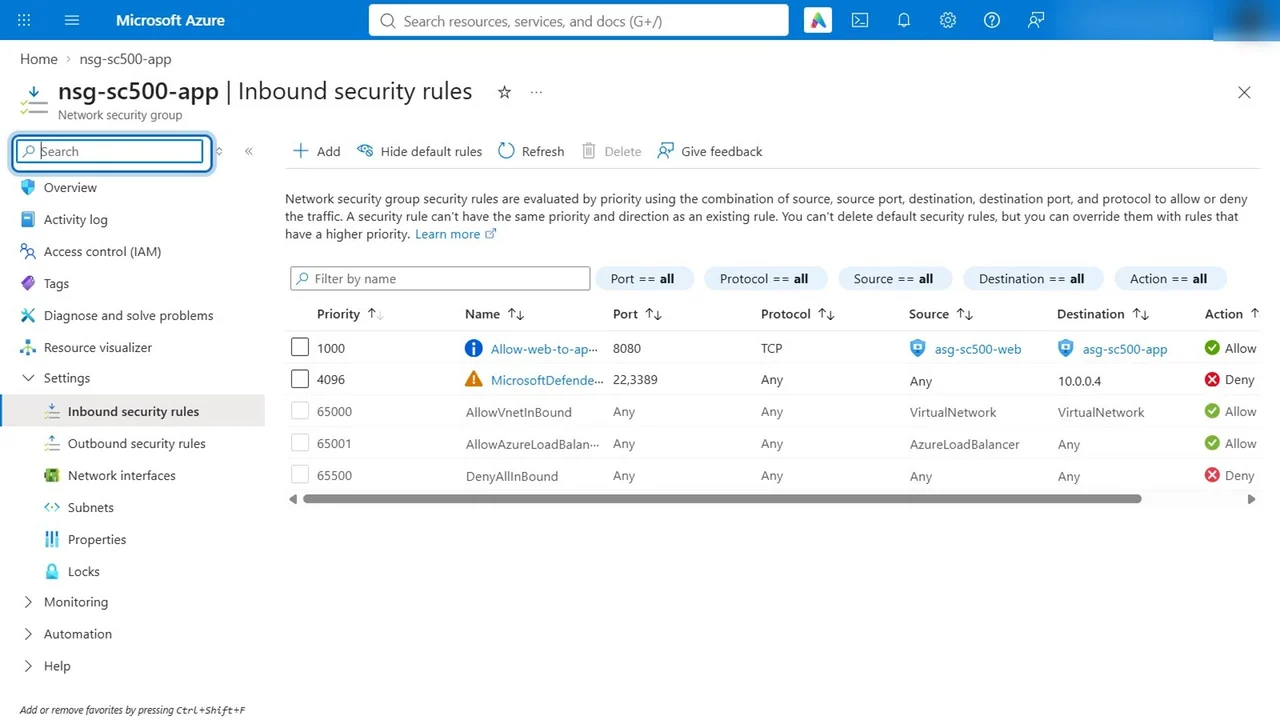
When an admin requests access, Defender adds a temporary allow rule for their IP above the deny, and removes it when the time is up.
Step 4: Defender for Servers Plan 2
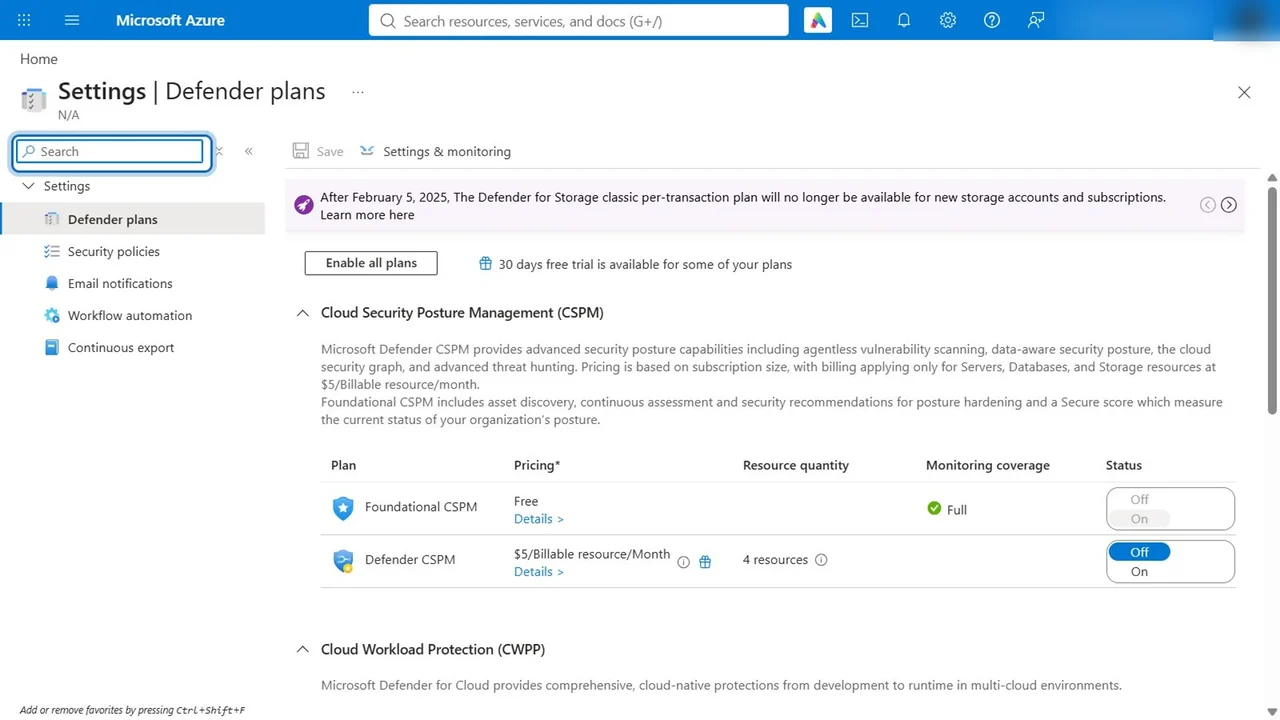
Defender for Cloud, Environment settings, Defender plans: Servers, Plan 2 (a 30-day free trial), with vulnerability assessment, Defender for Endpoint and agentless scanning on.
How you know it worked
- Secure boot is reported as enabled from inside the VM.
- IP flow verify to port 22 from outside returns access denied by the JIT rule.
- Within hours, Defender for Endpoint is deployed and the first vulnerability findings appear.
What a tech lead should take away
- Bastion needs no inbound port at all; use JIT only when a tool must connect directly.
- Encryption at host is the agentless way to encrypt temp disks and caches; Azure Disk Encryption is being retired in September 2028.
- For on-premises servers, onboard them with Azure Arc first, then apply the same policies.
Do it yourself
- The full SC-500 courseEvery Part, free on YouTube, in order
- Hands-on lab guideThe exact steps, what it costs, how to clean up
- Practice simulationRehearse every click in your browser; the first lab is free
- Mock examFree 10-question sample, then the full timed mock scored by domain
Lab guides, practice and full mock exams come with a subscription. See the plans