

SC-500 Step by step · Part 10
Microsoft Sentinel From Zero: Connectors, Rules, Hunting
Enable Sentinel in the Defender portal, install content hub solutions, collect Linux sign-ins with AMA, auto-triage incidents and hunt with KQL.

Logs nobody reads protect nobody. Part 10 of the SC-500 course turns Pragati Logistics’ scattered logs into one queue of incidents a small team can actually work, in the Microsoft Defender portal.
Step 1: Enable Sentinel on the workspace
Microsoft Sentinel, Create, pick the lab workspace law-sc500-lab, Add. The 31-day free trial starts, and new workspaces are onboarded to the Defender portal, where Sentinel and Defender XDR incidents share one queue. In Settings, SIEM workspaces, it is the primary workspace.
Step 2: Install solutions from the content hub
Content management, Content hub lists over 300 solutions. A solution packages the data connector plus analytics rules, hunting queries and workbooks for one product.
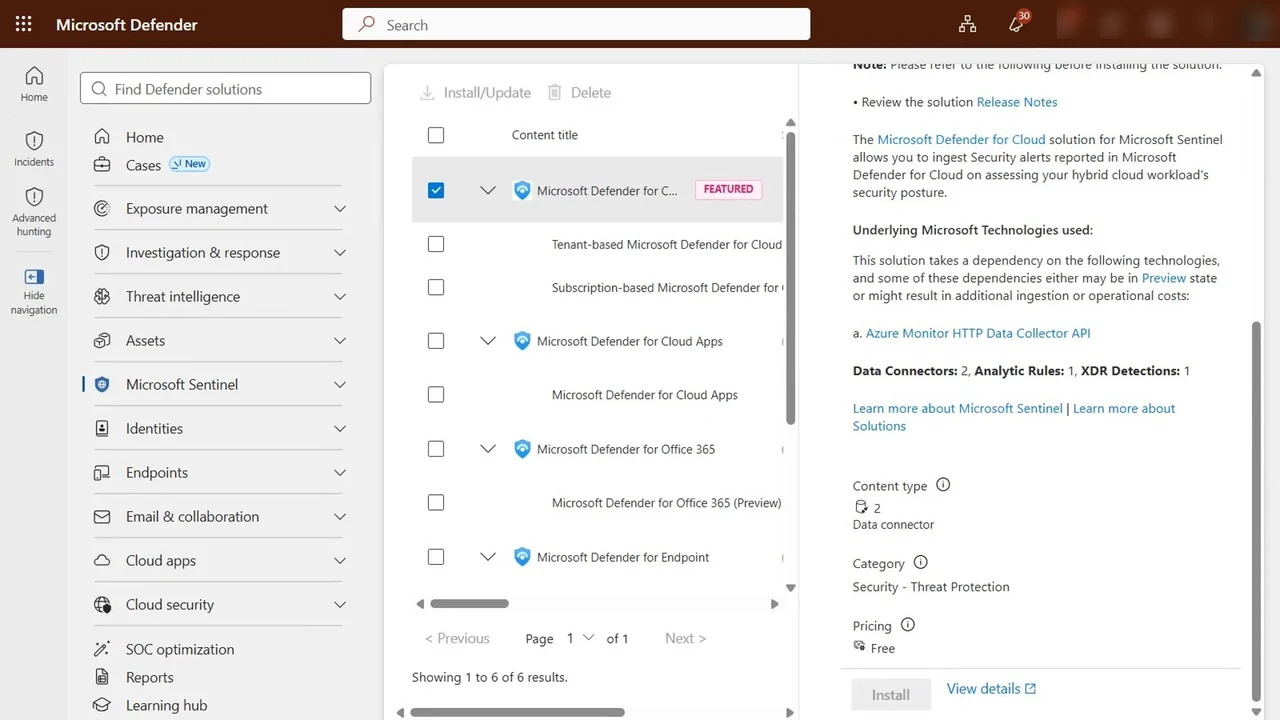
Install Azure Activity (free to ingest) and Microsoft Defender for Cloud, so the Defender plan alerts become Sentinel incidents. Connect Azure Activity through the subscription’s diagnostic setting to the workspace.
Step 3: Linux sign-ins through the Azure Monitor Agent
Install the Syslog solution, open Syslog via AMA, and create a data collection rule: dcr-sc500-syslog, resource vm-sc500-app, facilities LOG_AUTH and LOG_AUTHPRIV at info and above, everything else none, so you pay only for what matters.
Test safely with Run command and logger: three failed SSH passwords from one outside address, then a sudo reading the password file.
Step 4: Auto-triage high-severity incidents
Automation, Automation rules, Create: Triage high-severity incidents, trigger when an incident is created, condition severity equals High, actions assign owner (the SOC analyst) and add tag auto-triaged.
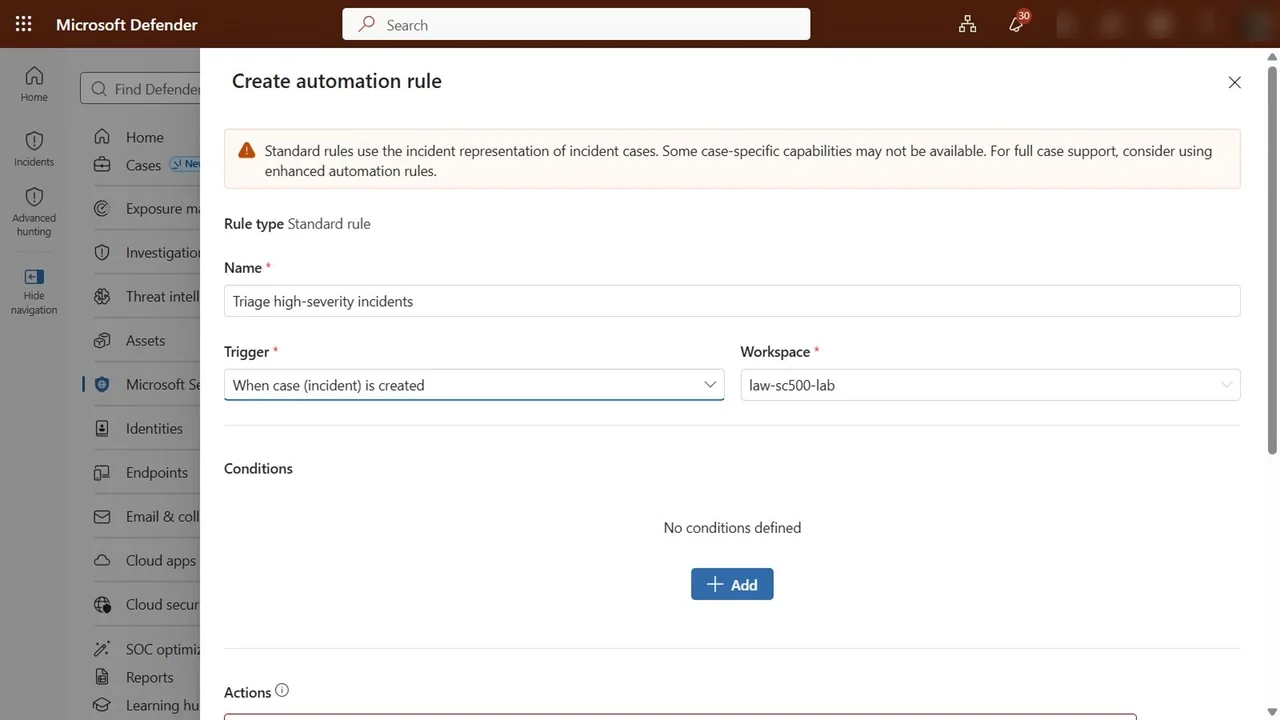
Step 5: Hunt across Sentinel and Defender XDR
Investigation and response, Hunting, Advanced hunting: one KQL editor for both. Query Syslog, facility auth and authpriv, newest first.
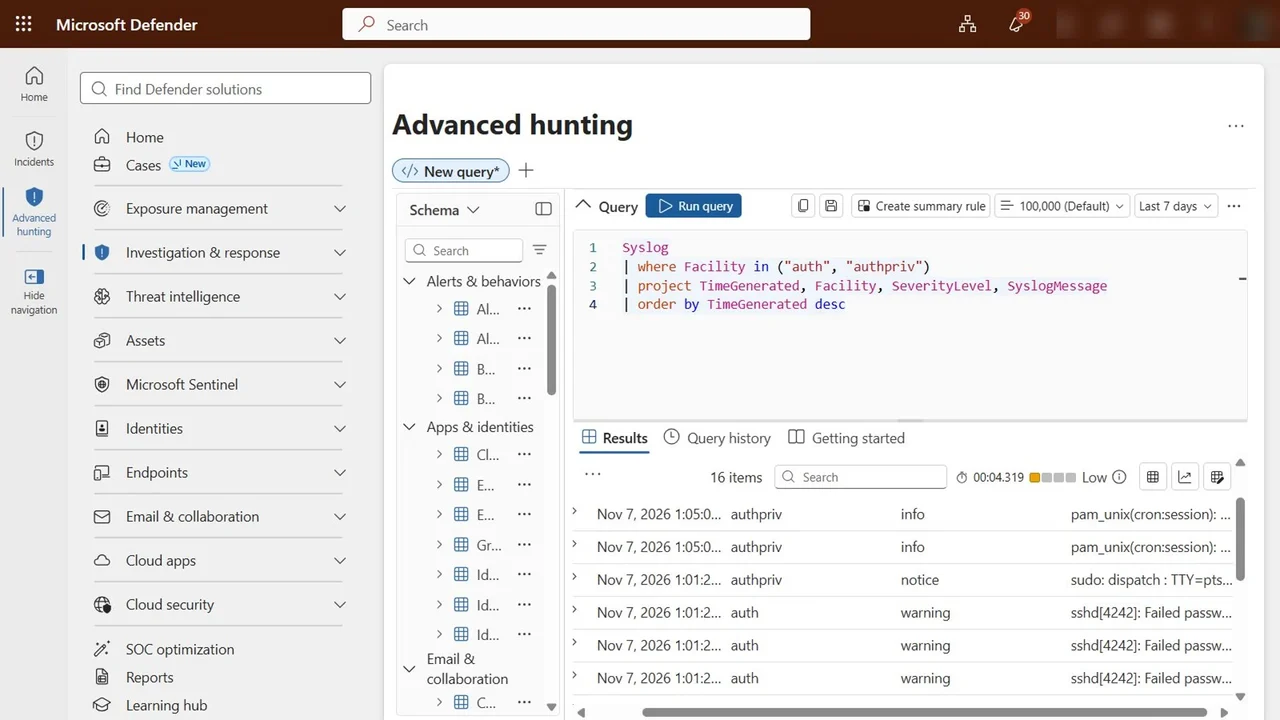
How you know it worked
- The hunting query returns the three failed passwords and the sudo event from the test.
- New high-severity incidents arrive already assigned and tagged.
What a tech lead should take away
- Run Sentinel in the Defender portal; the Azure portal experience ends on 31 March 2027.
- Collect only the facilities and event sets you need; data collection rules are your cost control.
- Retention: keep analytics retention short and raise total retention for auditors; the extra time lives in the cheap data lake tier, up to 12 years.
Do it yourself
- The full SC-500 courseEvery Part, free on YouTube, in order
- Hands-on lab guideThe exact steps, what it costs, how to clean up
- Practice simulationRehearse every click in your browser; the first lab is free
- Mock examFree 10-question sample, then the full timed mock scored by domain
Lab guides, practice and full mock exams come with a subscription. See the plans