

SC-500 Step by step · Part 2
Key Vault Done Right: Purge Protection, RBAC, Firewall
Create a Key Vault with purge protection and Azure RBAC, give an app read-only access through a managed identity, then close the vault to the internet.

Connection strings in config files, keys in code, a shared password in a chat: every one of them is a credential an attacker can copy. A key vault fixes that only if the vault itself is protected, from deletion, from over-broad access, and from the internet.
This is how Part 2 of the SC-500 course builds the vault for Pragati Logistics.
Step 1: Create the vault with purge protection
Create a key vault: resource group rg-sc500-lab, name kv-sc500-pragati, Central India, Standard tier.
- Soft delete is always on. Days to retain deleted vaults: 7, the shortest, fine for a lab.
- Purge protection: enabled. Nobody can permanently purge the vault or its objects before the retention ends, not even a Global Administrator.
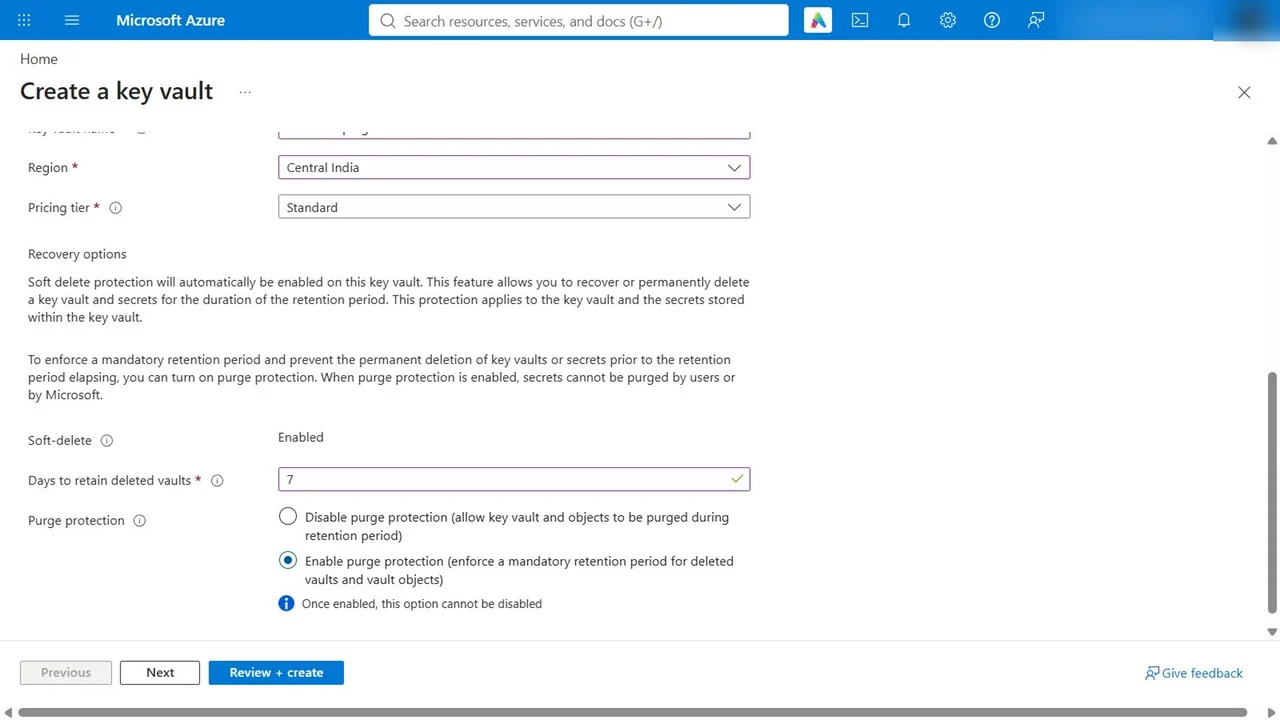
- Access configuration: Azure role-based access control, the recommended model. Vault access policies are the legacy model.
Step 2: Owner is not enough to read a secret
Open Secrets as the subscription Owner: the operation is not allowed by RBAC. Owner manages the vault, not what is in it. So add yourself Key Vault Administrator on this vault only, then create dispatch-sql-connection with an expiration date, so the secret cannot live forever.
Step 3: Give the app its own identity, read-only
Create a user-assigned managed identity, id-sc500-dispatch. On the vault, Access control, Add role assignment: Key Vault Secrets User (read only) for that identity.
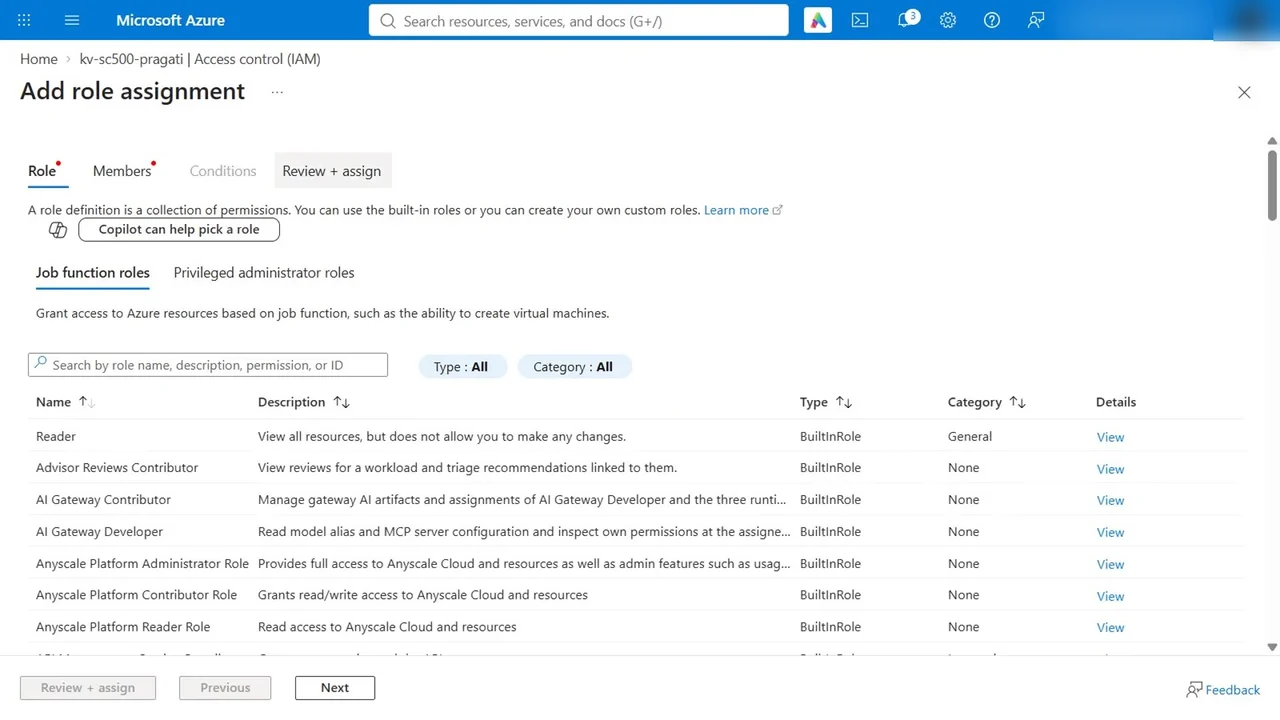
The app now reads its connection string with no password stored anywhere, and nothing more.
Step 4: Close the vault to the internet
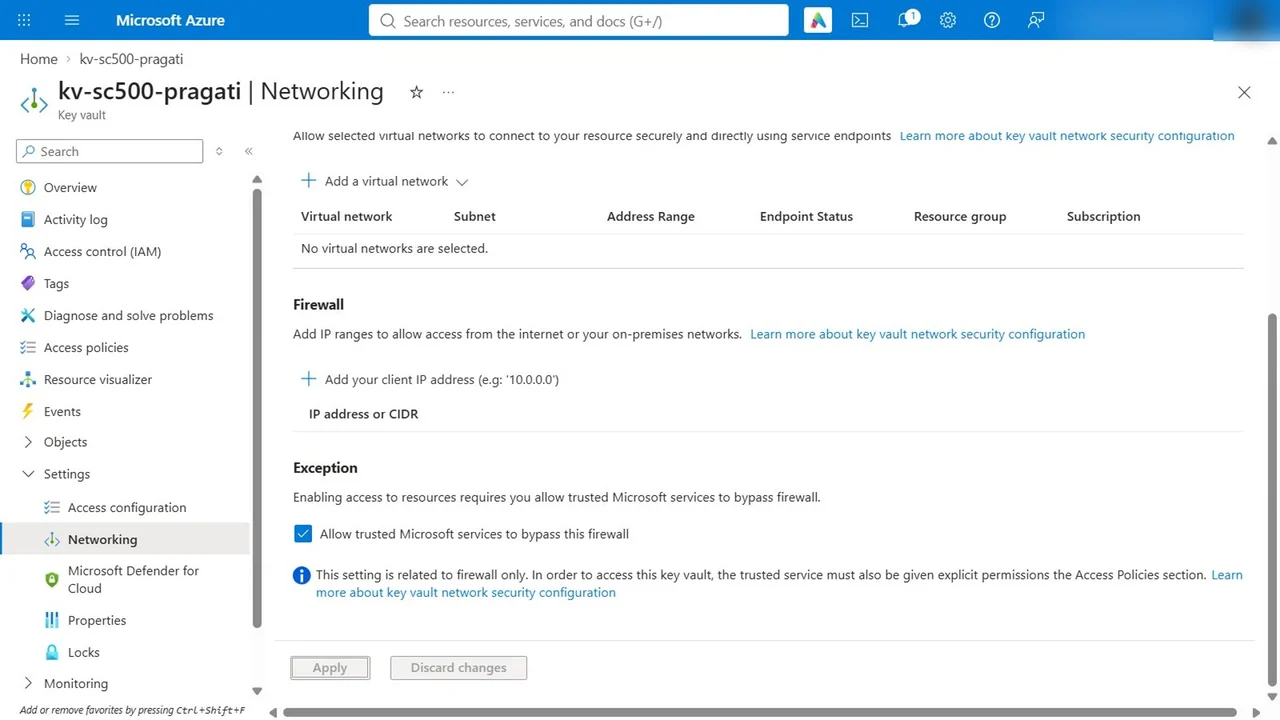
Networking: allow public access only from specific virtual networks and IP addresses. Leave both lists empty for now; in Part 5 the app reaches the vault over a private endpoint. Keep the exception allow trusted Microsoft services, such as Azure Backup.
How you know it worked
- Properties shows soft delete on, 7 days, and purge protection enabled.
- Role assignments: the admin is Key Vault Administrator, the app identity is Key Vault Secrets User.
- Opening Secrets from the internet now fails: your client IP address is not authorized. The right role is no longer enough; you must also come from the right network.
What a tech lead should take away
- Purge protection is the control against a malicious admin. Turn it on for every production vault.
- Use Azure RBAC on vaults, and give apps managed identities with the smallest data role.
- Identity plus network: a stolen credential from the internet is useless against a closed vault.
Do it yourself
- The full SC-500 courseEvery Part, free on YouTube, in order
- Hands-on lab guideThe exact steps, what it costs, how to clean up
- Practice simulationRehearse every click in your browser; the first lab is free
- Mock examFree 10-question sample, then the full timed mock scored by domain
Lab guides, practice and full mock exams come with a subscription. See the plans