

SC-500 Course guide
SC-500 Exam Guide: 4 Domains, 12 Hands-On Parts
What the SC-500 Cloud and AI Security Engineer exam covers, how the four domains are weighted, and a hands-on study plan with free videos for every Part.

Most security engineers learned Azure one service at a time: a bit of Key Vault here, a network security group there. The SC-500 exam asks something harder: can you secure a whole workload, end to end, including its AI, and then prove it?
This guide explains what the exam measures, how the domains are weighted, and how to prepare hands-on, with a free video for every Part.
The role in one sentence
A Cloud and AI Security Engineer secures a workload end to end (identity, secrets, network, compute, data and AI) and proves it continuously with posture, compliance, detection and response.
That is also how the course is built. One company, Pragati Logistics, runs a dispatch app on Azure: virtual machines, web apps, storage, a database and an AI route planner. It was built fast and secured later: standing admin rights, open ports, keys in code, and nobody watching the logs. Part by Part, we fix every layer.
The four exam domains
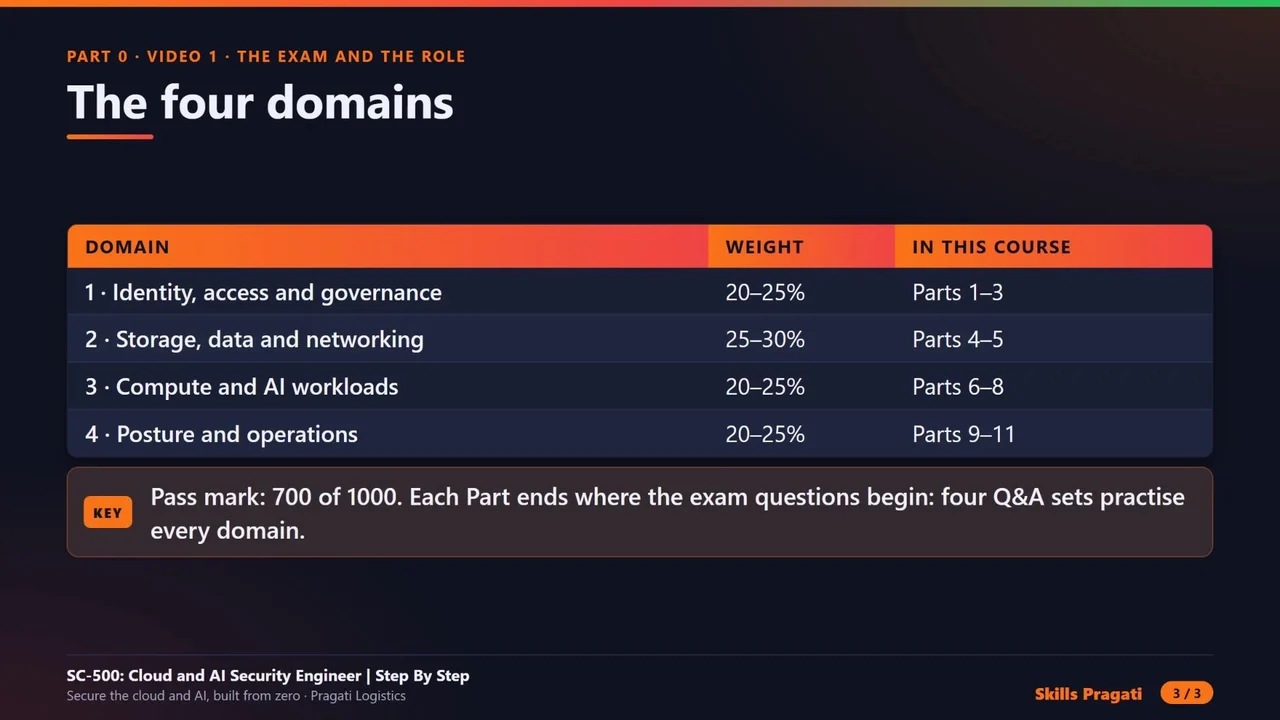
| Domain | Weight | Course Parts |
|---|---|---|
| 1 · Manage identity, access and governance | 20–25% | Parts 1–3 |
| 2 · Secure storage, databases and networking | 25–30% (the largest) | Parts 4–5 |
| 3 · Secure compute, including AI | 20–25% | Parts 6–8 |
| 4 · Manage and monitor security posture | 20–25% | Parts 9–11 |
The pass mark is 700 out of 1000. Always check the official exam page for the current skills outline before you book. Microsoft updates it, and the course follows the latest published version.
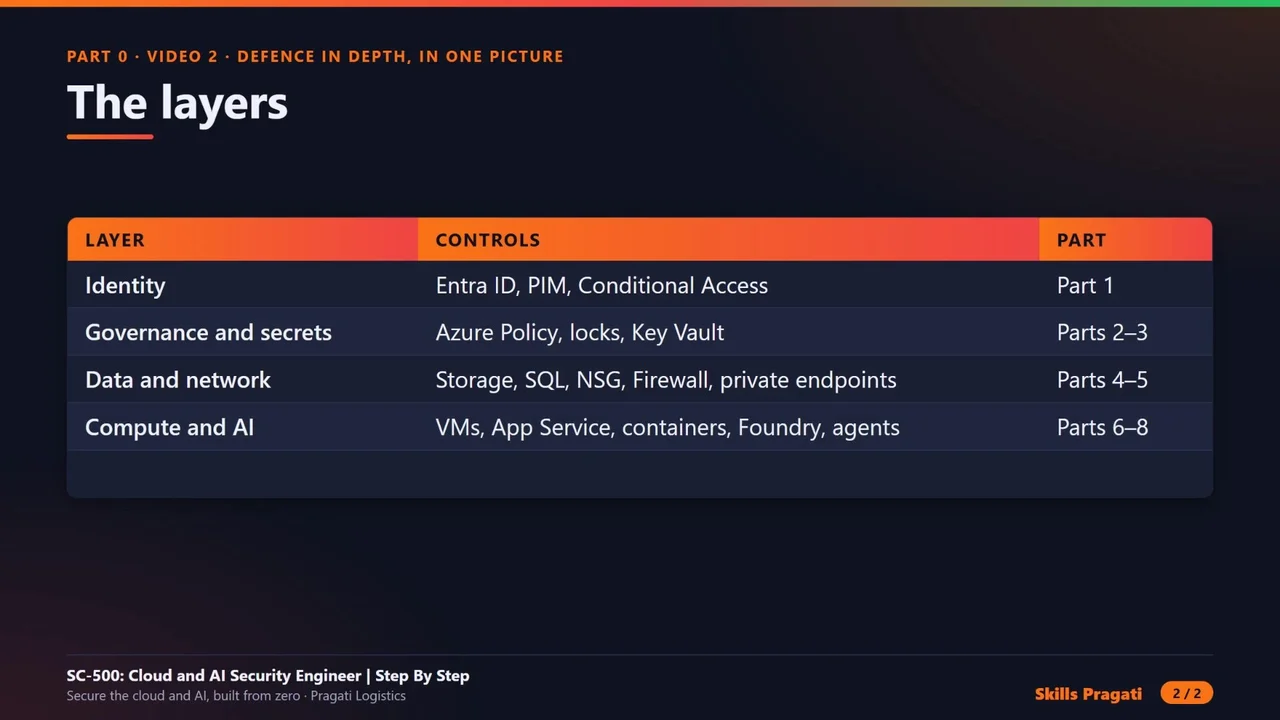
The layers, in one picture
Follow one request from a user to the data, and every layer it passes is one Part of the course. If one layer fails, the next one still stops the attacker: that is defence in depth.
What you actually build
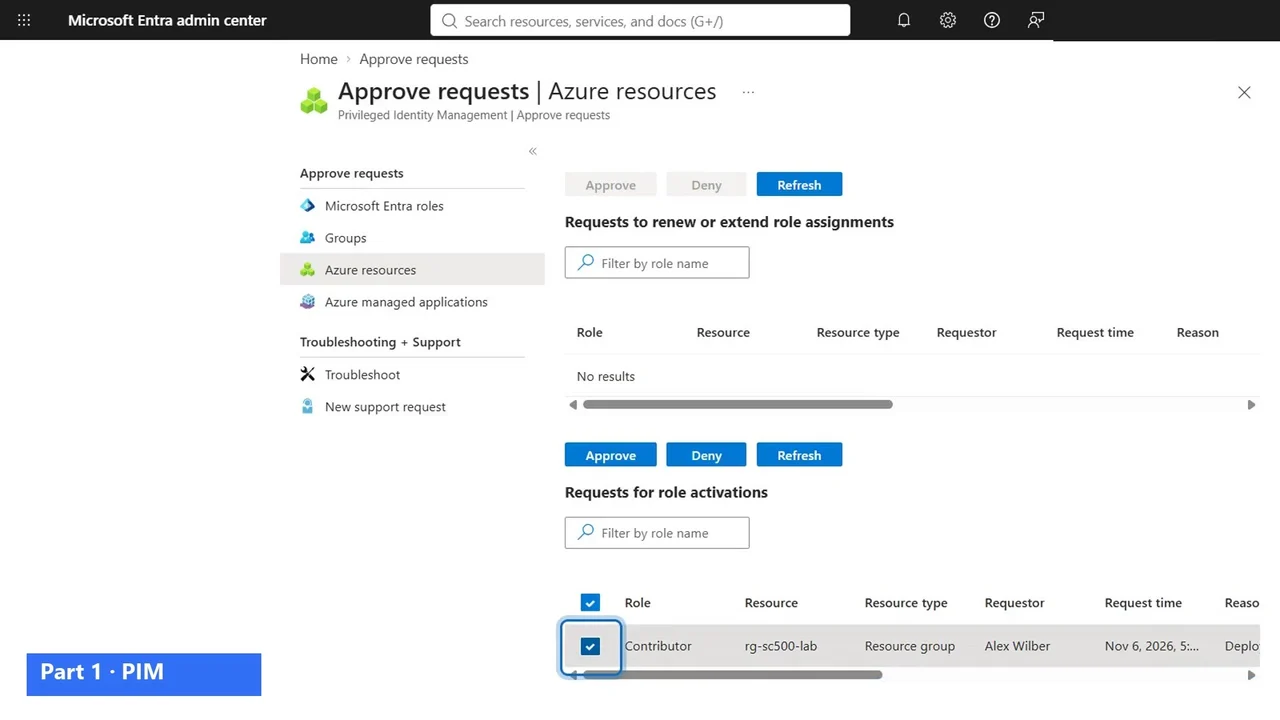
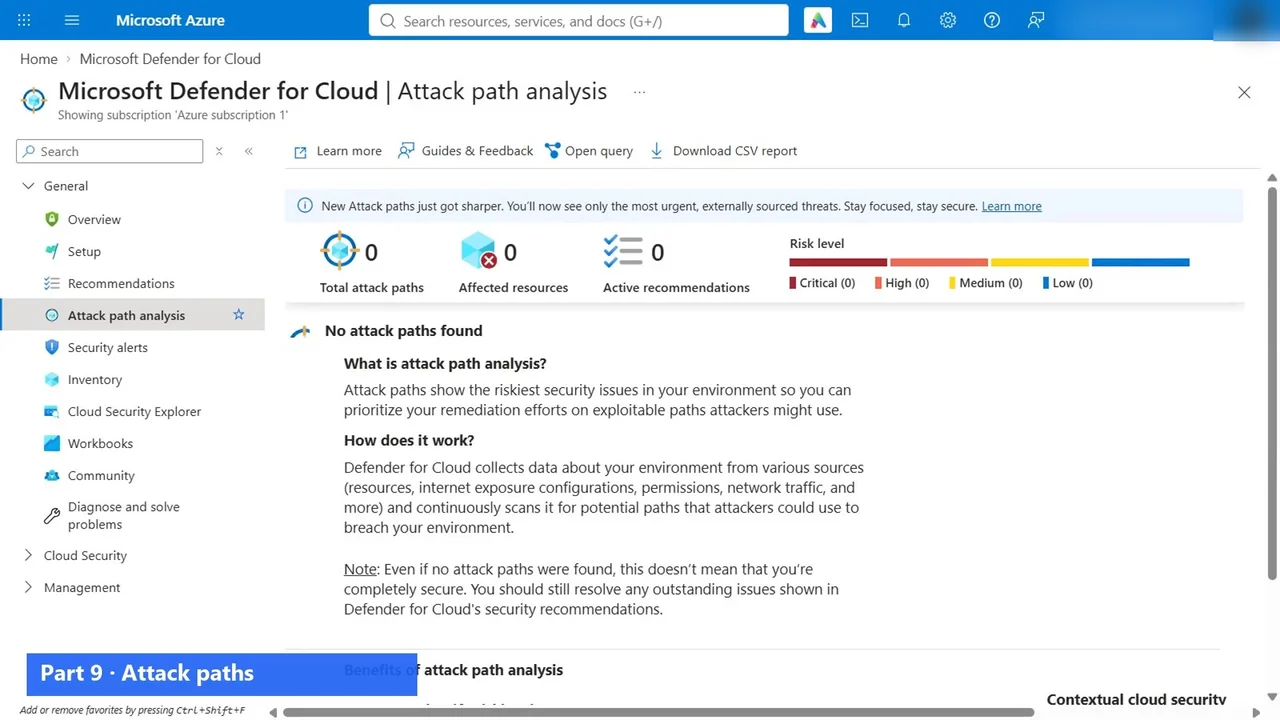
These are real screens from the labs, not slides:
- Admin rights only when approved: a developer activates Contributor through PIM, and a manager approves it (Part 1).
- Secrets in Key Vault with purge protection (Part 2), and Azure Policy that refuses a resource in the wrong region, even for an Owner (Part 3).
- Storage and SQL without keys, behind firewalls, with Defender catching a malware upload (Part 4).
- The network: NSGs, private endpoints, Azure Firewall, VPN with Entra ID and Private Access (Part 5).
- No open management ports with Bastion and just-in-time access (Part 6), and a web application firewall that blocks SQL injection (Part 7).
- AI guardrails that stop jailbreaks and personal data before they reach the model (Part 8).
- Zero attack paths in Defender for Cloud, ISO 27001 compliance, and what the internet can see of you with Defender EASM (Part 9).
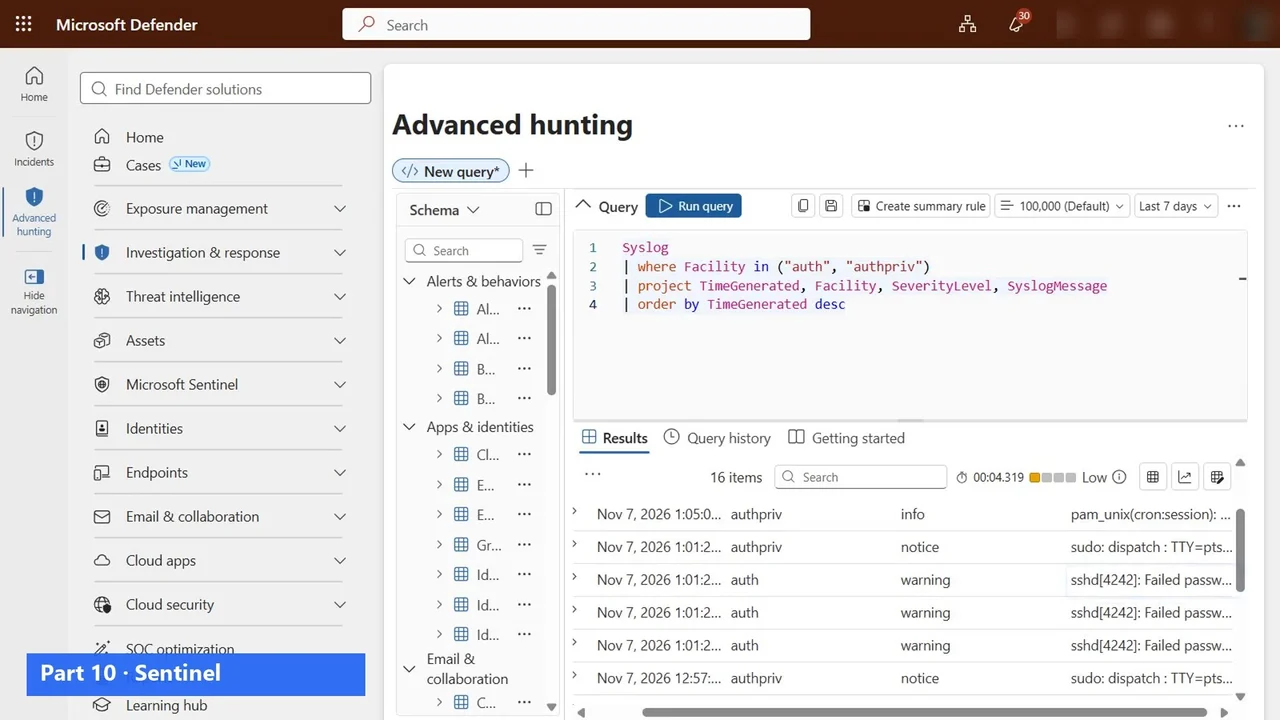
- Microsoft Sentinel collecting the logs, with hunting that finds failed sign-ins (Part 10), and Security Copilot capacity and roles (Part 11).
A study plan that works
- Start with Part 0. Five short videos: the role, defence in depth, which tool to use when, how security grows, and licences and cost. The exam rarely asks what a tool is; it asks which tool fits.
- Follow the Parts in order. Each one builds on the last: the identity from Part 1 is used again in Key Vault, Sentinel and the AI labs.
- Do every lab yourself, or rehearse it in the practice simulation first if you have no Azure subscription yet.
- After each domain, take the exam questions for it: four Q&A videos, one per domain, with every answer explained.
- Finish with a timed mock exam, and rewatch the Parts behind your weakest domain.
What it costs to practise
You need an Azure subscription and a Microsoft 365 E5 trial (for Entra ID P2 features such as PIM). In the course, the Defender for Cloud plans, Defender CSPM, Microsoft Sentinel and Defender EASM all run on their free trials. Paid resources such as Application Gateway, Azure Firewall and the AI gateway are created for one lesson and deleted the same day. Security Copilot capacity is shown, never bought.
The whole lab cost under ₹300 for the month, and Part 12 shows the cost proof and deletes everything.
The full course is free on YouTube
The overview above is the first of 18 videos: Part 0, Parts 1 to 12, and four exam Q&A sets, about four hours in total. Watch them in order on the course page, then practise.
Do it yourself
- The full SC-500 courseEvery Part, free on YouTube, in order
- Hands-on lab guideThe exact steps, what it costs, how to clean up
- Practice simulationRehearse every click in your browser; the first lab is free
- Mock examFree 10-question sample, then the full timed mock scored by domain
Lab guides, practice and full mock exams come with a subscription. See the plans