

SC-500 Step by step · Part 3
Azure Policy That Says No, Locks, and Backups Nobody Deletes
Deny resources outside Central India with Azure Policy, lock a resource group against deletion, and make backups immutable, step by step.

Good intentions do not scale. A wiki page that says “use Central India” is ignored the first time someone is in a hurry. Governance in Azure means rules Azure itself enforces, on everyone, including the Owner.
Part 3 of the SC-500 course builds three of them for Pragati Logistics.
Step 1: Allowed locations, enforced
Azure Policy, Assignments, Assign policy. Scope: the subscription and rg-sc500-lab. Definition: Allowed locations (the one for resources, not resource groups).
- Assignment name: SC500 - Allowed locations: Central India; policy enforcement: enabled, so it denies, not just reports.
- Parameter: Central India only.
- Non-compliance message: “Pragati lab resources must be in Central India.” Everyone who is denied reads it.
A new assignment can take up to 30 minutes to take effect.
Step 2: Watch it say no
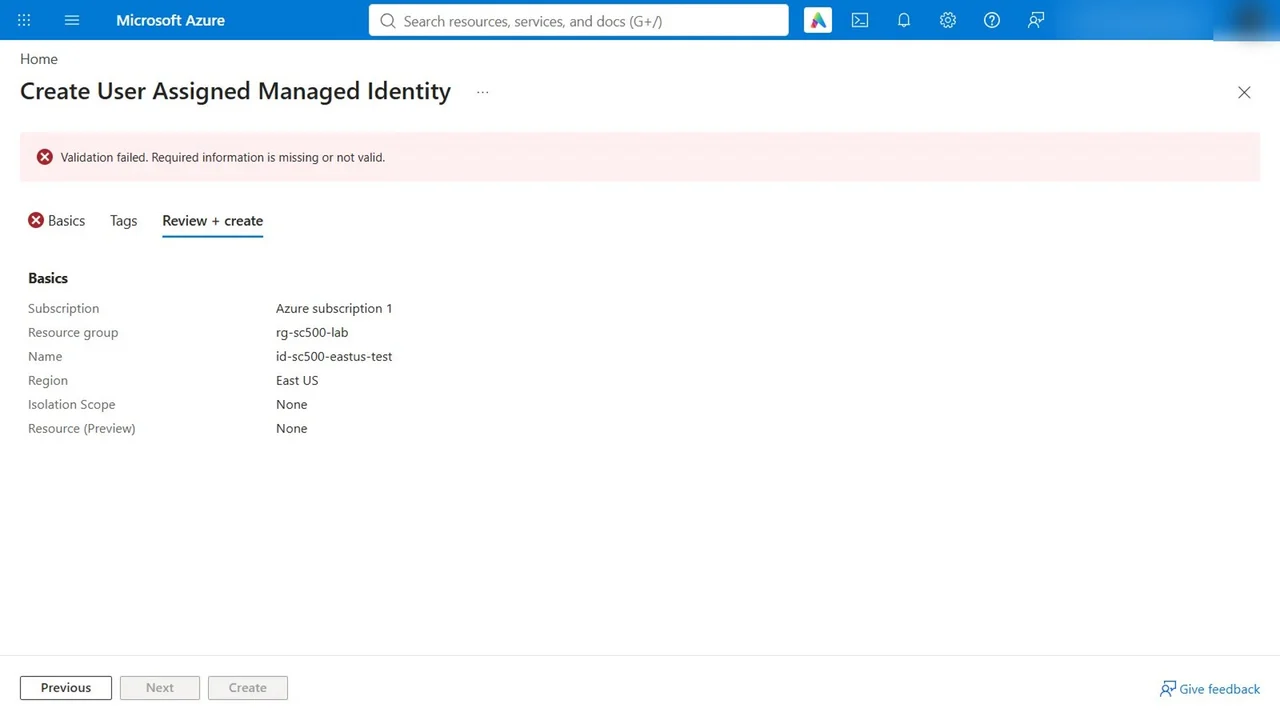
A developer tries to create a managed identity in the lab resource group in East US. The form already warns in red, with our own message. Review and create anyway:
Step 3: A lock against deletion
On the resource group, Locks, Add: name lab-no-delete, type Delete. It allows changes but blocks deletion, and everything inside the group inherits it.
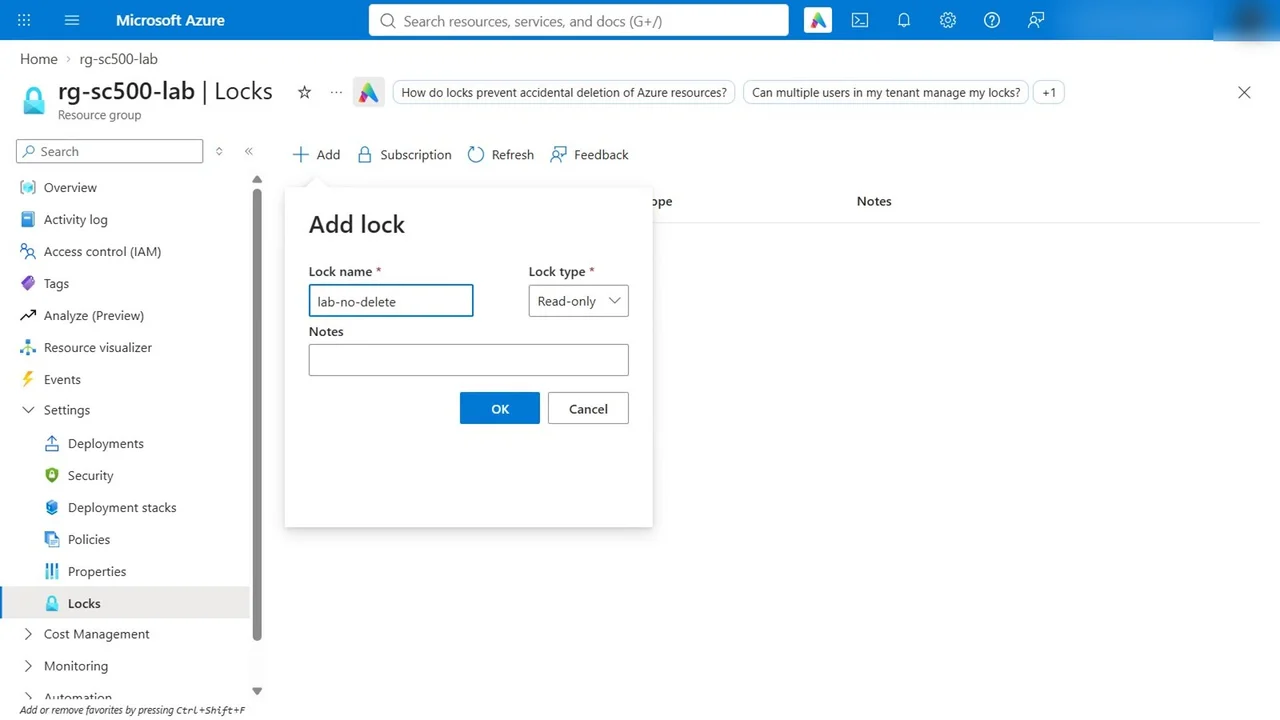
Try deleting the managed identity: failed, the scope is locked. Not even an Owner can delete it until someone removes the lock first. Read-only would go further and block changes too.
Step 4: Backups that cannot be destroyed
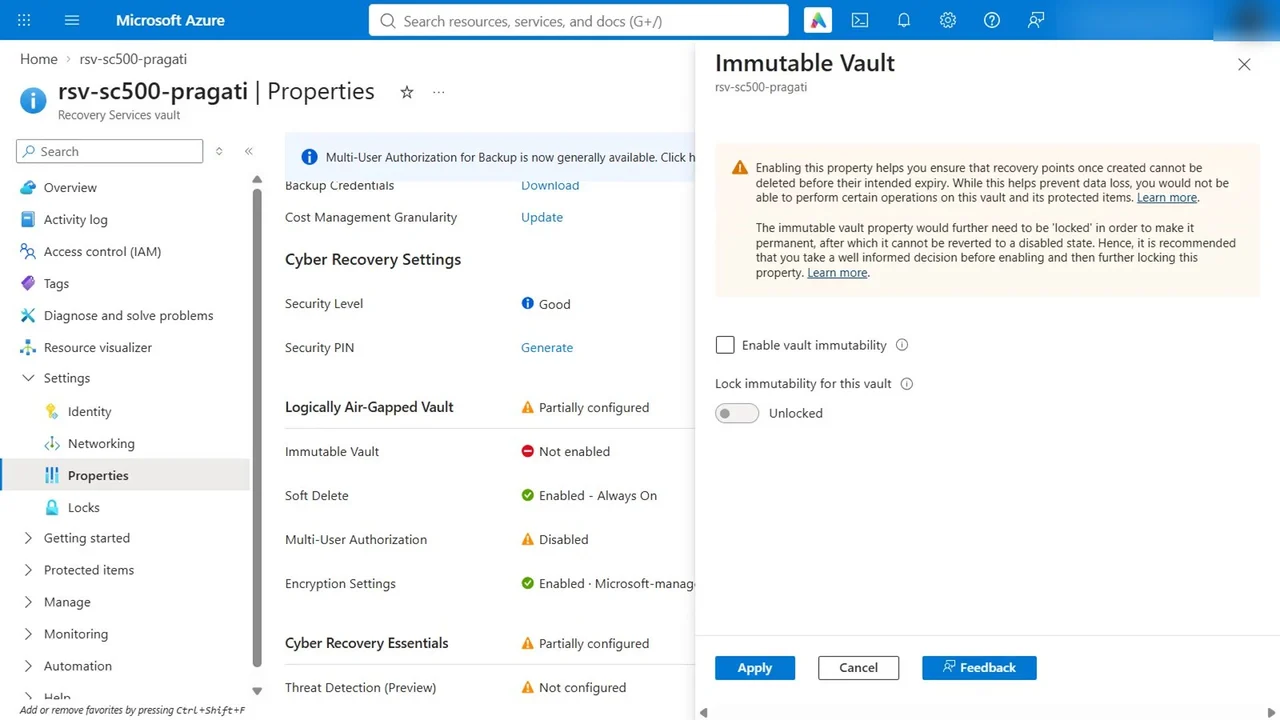
Create a Recovery Services vault, rsv-sc500-pragati (free until it protects something). Then Properties:
- Soft delete: always on, so deleted backups are kept.
- Immutable vault: enable it, so recovery points cannot be deleted before they expire. Leave lock off in a lab, because a locked immutability setting can never be undone.
For the risky changes, add multi-user authorization with a Resource Guard owned by a different team, ideally in another subscription.
How you know it worked
- The East US deployment fails validation with your own message.
- Deleting inside the locked group fails: the scope is locked.
- The vault shows soft delete always on and immutability enabled.
What a tech lead should take away
- Policy is the guardrail, locks are the seatbelt, immutable backups are the parachute. You want all three.
- Write non-compliance messages people can act on.
- Separate duties: the team that can delete backups should not be the team that owns the Resource Guard.
Do it yourself
- The full SC-500 courseEvery Part, free on YouTube, in order
- Hands-on lab guideThe exact steps, what it costs, how to clean up
- Practice simulationRehearse every click in your browser; the first lab is free
- Mock examFree 10-question sample, then the full timed mock scored by domain
Lab guides, practice and full mock exams come with a subscription. See the plans