

Power Platform Administration Step By Step Step by step · Lab 2
Managed Environments: Set Them Up Before Feb 2027
What Managed Environments add, the licence rule behind them, and how to set sharing limits, solution checker and usage insights with pac.

A managed environment is a normal environment with a set of governance features switched on: who it can be shared with, what makers see when they arrive, how solutions are checked, and a weekly digest for admins. In Lab 2 of the Power Platform Administration course, we make Pragati’s admin lab environment managed.
What Managed Environments add
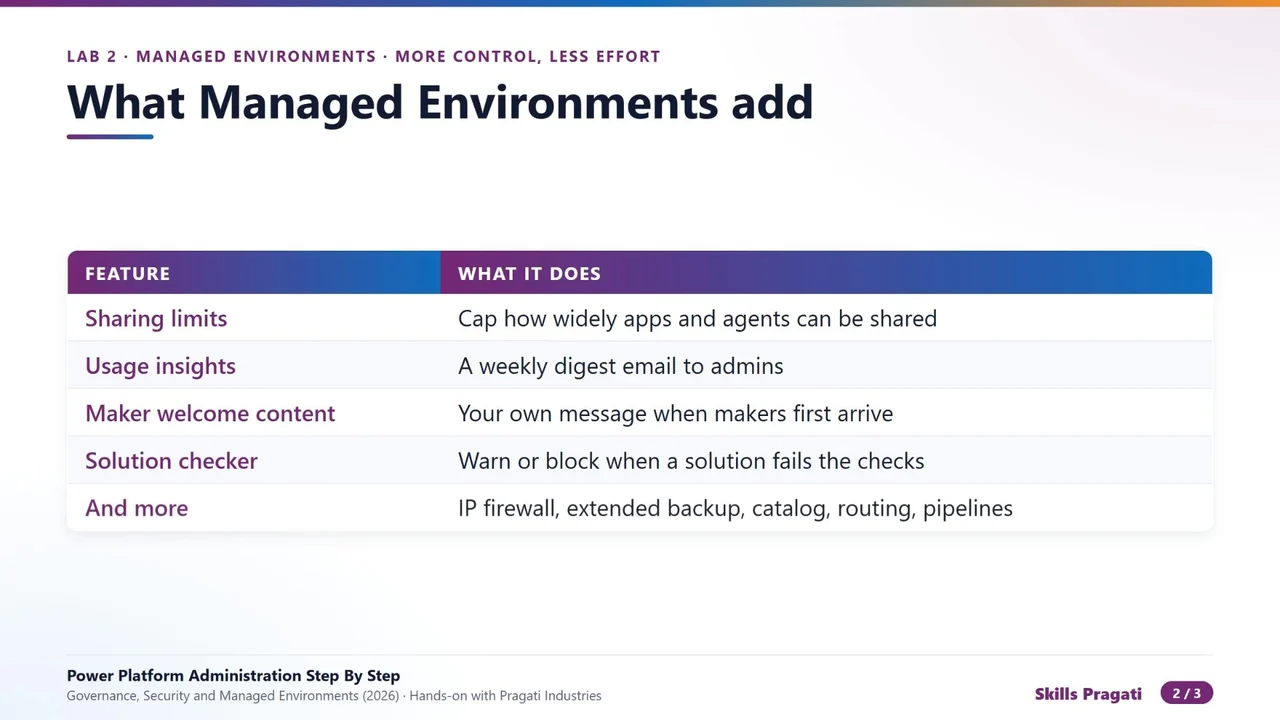
- Sharing limits: cap how widely apps and agents can be shared.
- Usage insights: a weekly digest e-mail to admins.
- Maker welcome content: your own message when makers first arrive.
- Solution checker enforcement: warn or block imports that fail the checks.
- And more: an IP firewall, longer backups, the catalog, routing and pipelines.
The licence rule
There is no Managed Environments product to buy. Instead, people who use apps and flows in a managed environment need premium licences: Power Apps, Power Automate, Copilot Studio or Dynamics 365. The Developer Plan gives no Managed Environments use rights.
Microsoft shows notices to unlicensed users since June 2026 and has announced a block from February 2027. Check the licensing report before you switch a busy environment to managed. In the lab, the admin’s Power Apps Plan 2 trial gives the rights at no cost.
Step 1: Limit sharing
Open the environment, Edit managed environments. Under Manage sharing → Power Apps: exclude sharing with security groups, and limit sharing to 20 individuals. A maker can no longer share an app with the whole company by accident. For Copilot Studio, agents can be shared with individuals only.
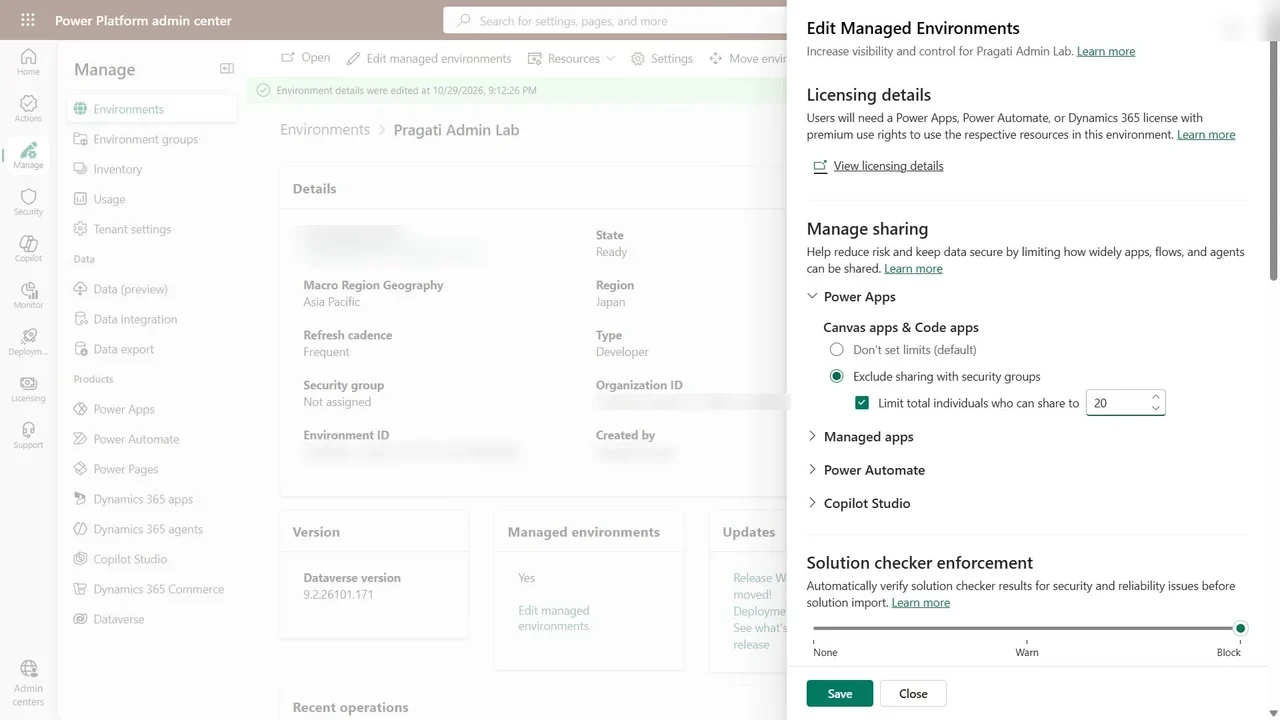
Step 2: Enforce the solution checker
Solution checker enforcement: Block. A solution with critical security or reliability issues cannot be imported into this environment.
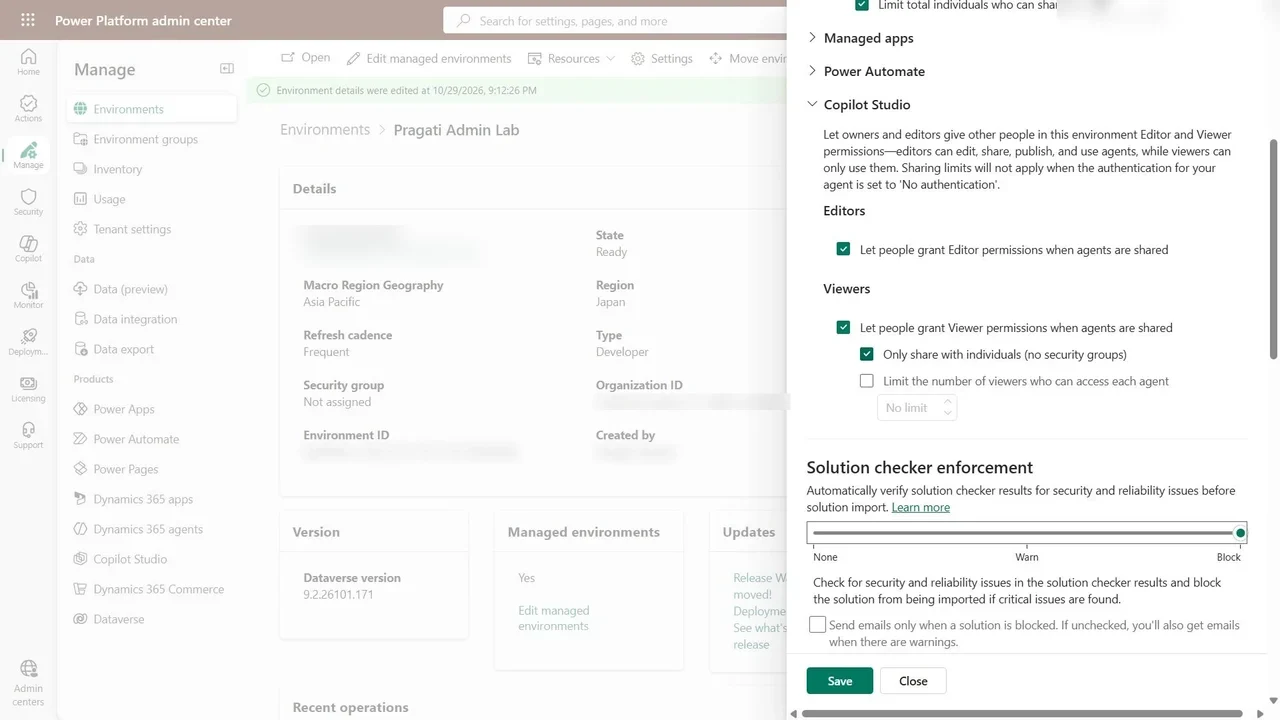
Step 3: Usage insights and welcome content
Include the environment in the weekly e-mail digest of top apps and flows, and add maker welcome content: a short message makers see when they first open Power Apps here. Save; the settings apply at once.
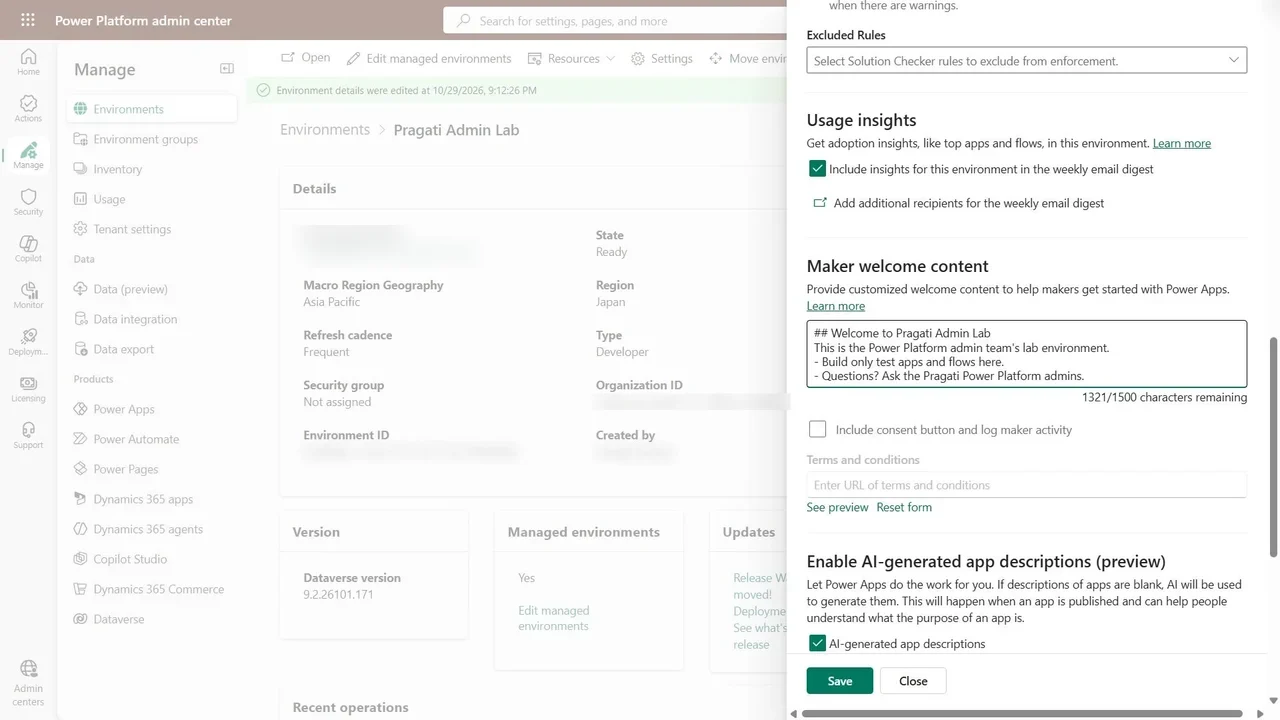
Step 4: Automate it
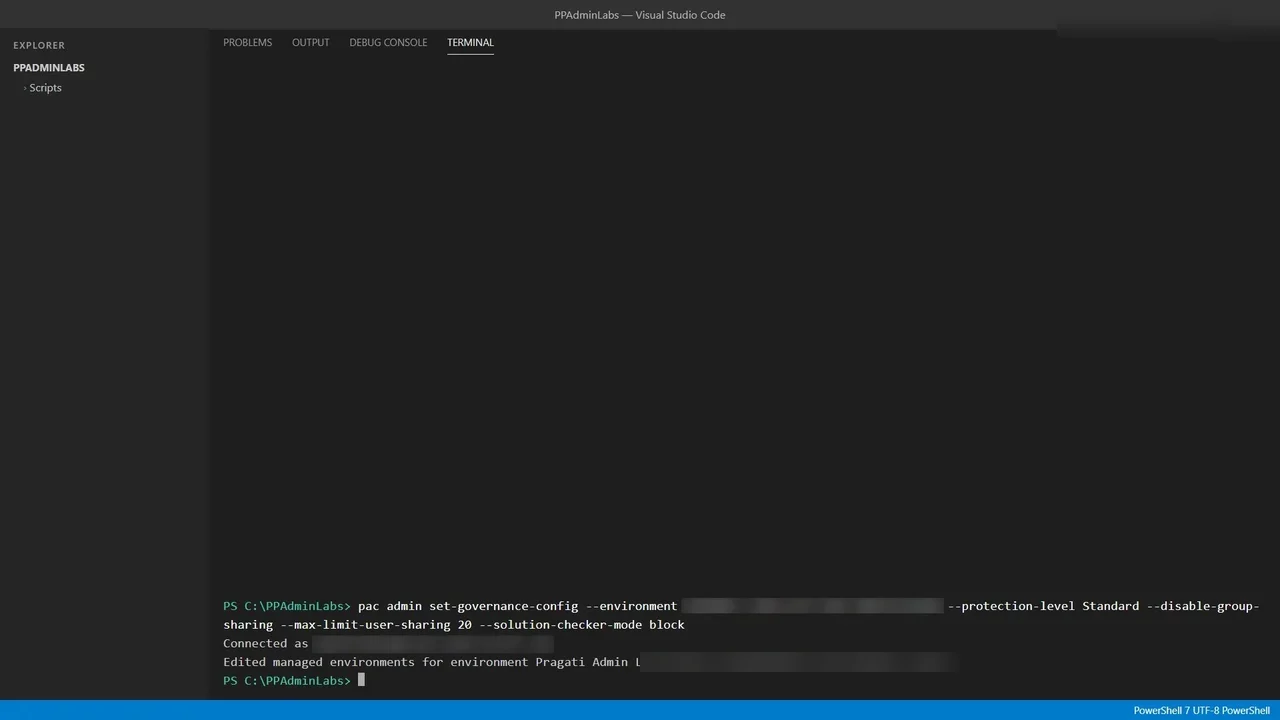
pac admin set-governance-config does the same in one line: standard protection, no group sharing, at most twenty people, and the solution checker set to block. Ideal for configuring many environments the same way.
What a tech lead should take away
- Check licences first. Managed Environments are free to switch on, but every user then needs a premium licence.
- Sharing limits and the solution checker stop the two most common accidents: an app shared with everyone, and a broken solution in production.
- Script it. Twenty environments configured by hand will drift; one script will not.
Do it yourself
- The full Power Platform Administration Step By Step courseEvery Part, free on YouTube, in order
- Hands-on lab guideThe exact steps, what it costs, how to clean up
- Practice simulationRehearse every click in your browser; the first lab is free
- Mock examFree 10-question sample, then the full timed mock scored by domain
Lab guides, practice and full mock exams come with a subscription. See the plans