

DP-700 Step by step · Module 3
Incremental Loads in Fabric With a Control Table
A Fabric pipeline driven by a control table: parameter, Lookup, ForEach, a full load, then an incremental run that picks up only new data.

NYC taxi trips arrive as monthly files. The first load takes everything; after that, each run should take only what is new, and record what it loaded. In Module 3 of the DP-700 course we build that with a control table and one pipeline.
The design
- A control table in the warehouse lists every month and its status: pending or loaded.
- The pipeline asks the control table for the next pending months, loops over them, lands each file, loads it into bronze, and marks it loaded or failed.
- A parameter says how many months to load in one run, so a test run can load two.
Step 1: A pipeline with a parameter
Create a Pipeline (it used to be called Data pipeline, and the exam may still use that name) named pl_ingest_trips. The designer is the same as Azure Data Factory.
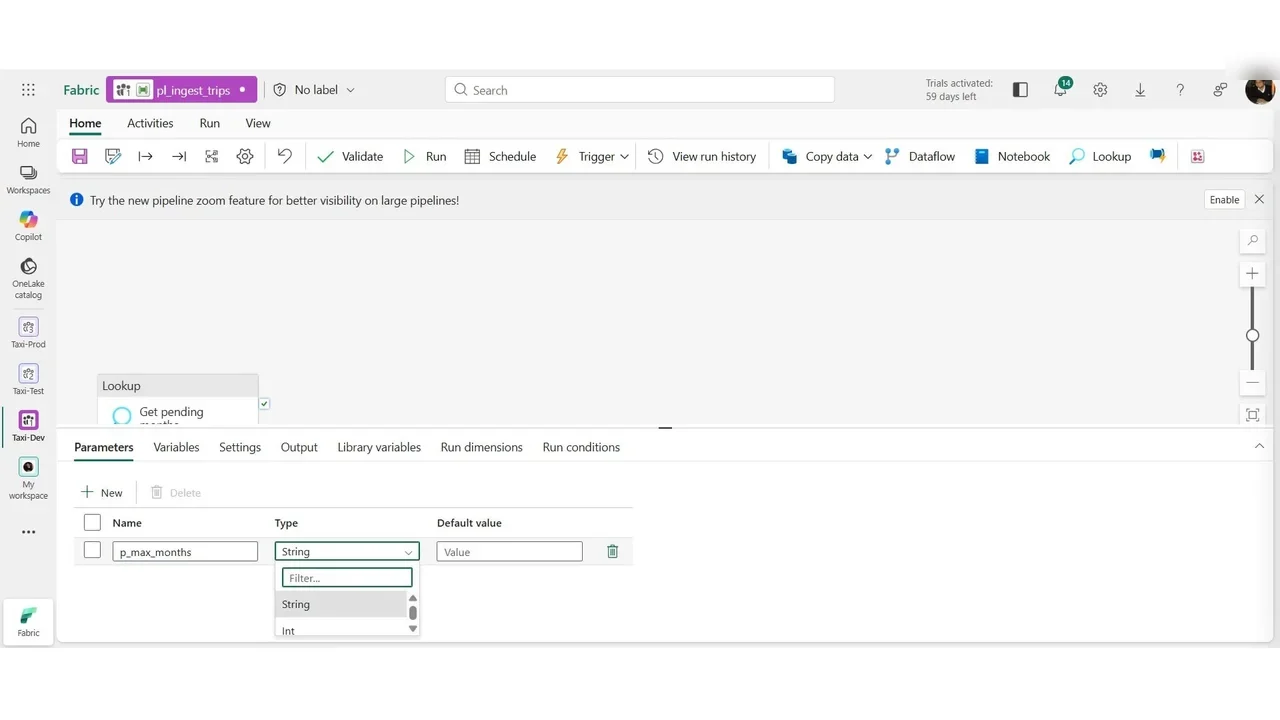
On Parameters, add p_max_months, type Int, default 2. A run that is not told otherwise loads two months, which keeps an accidental run cheap.
Step 2: A Lookup on the control table
Add a Lookup. Its connection comes from the OneLake catalog, so a pipeline can use a Fabric item without any connection string: the warehouse wh_gold. Use a query, built as dynamic content so it can use the parameter: the next pending months, as many as p_max_months says.
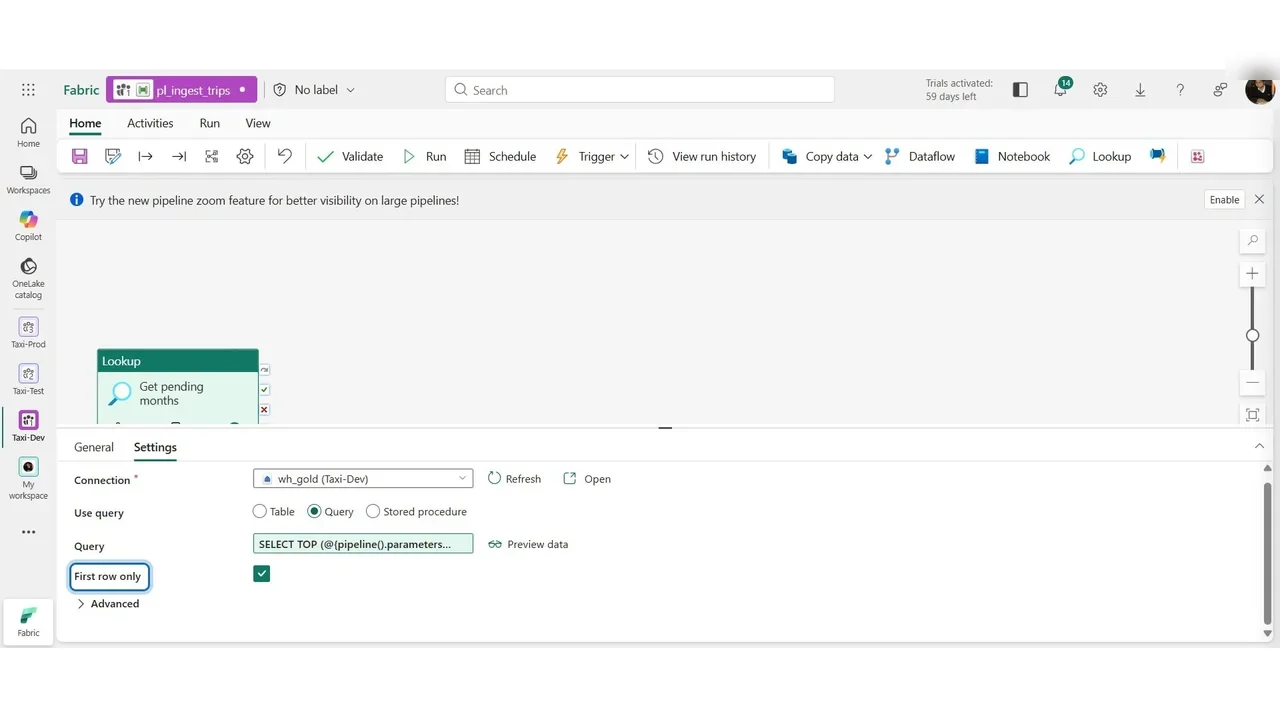
Exam trap: with First row only ticked, the Lookup returns a single row even if the query finds forty. Clear it, and the output has a
valueproperty (the list of rows) and acount.
Step 3: Loop, land, load and mark
A ForEach over the Lookup’s value: for each month, Land file (copy from the publisher), Load bronze (copy into the bronze lakehouse table), then Mark loaded, or Mark failed on the failure path. Validate checks that every required setting is filled in; it does not run anything.
Step 4: A test run
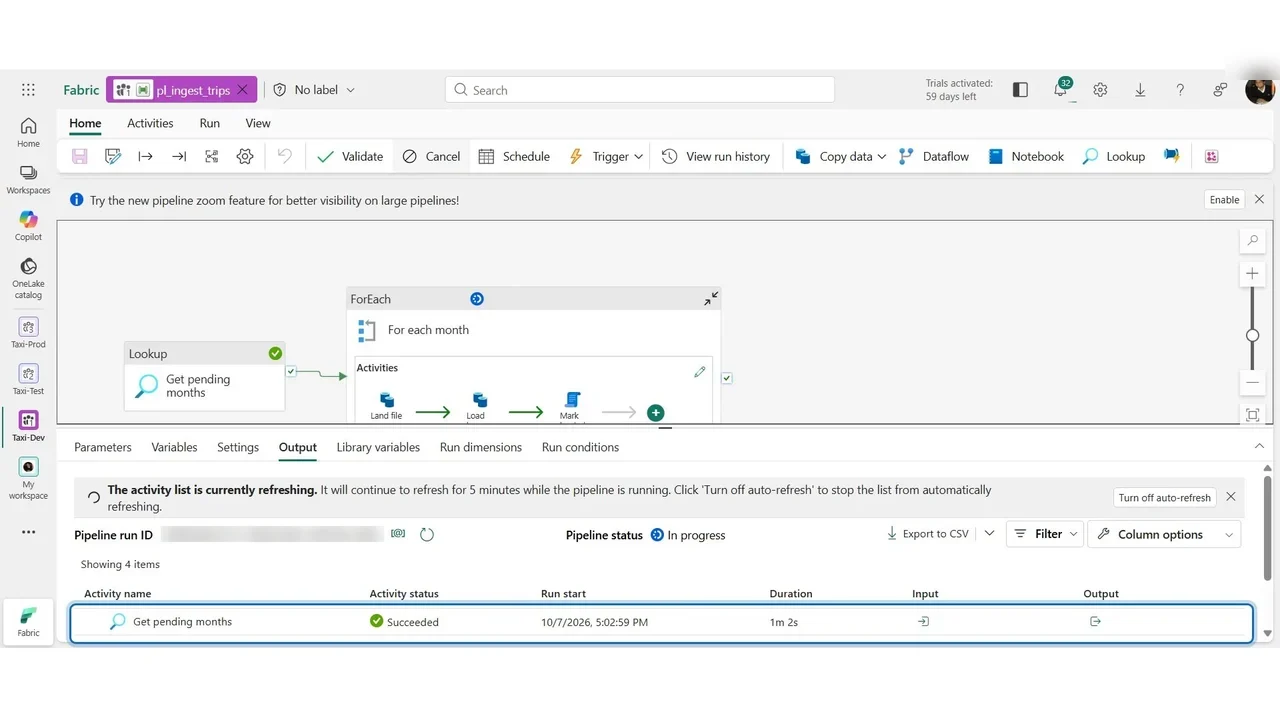
Run with the default of two months. The Output tab lists one row per activity run: the Lookup succeeded, and the loop works through each month.
How you know it worked
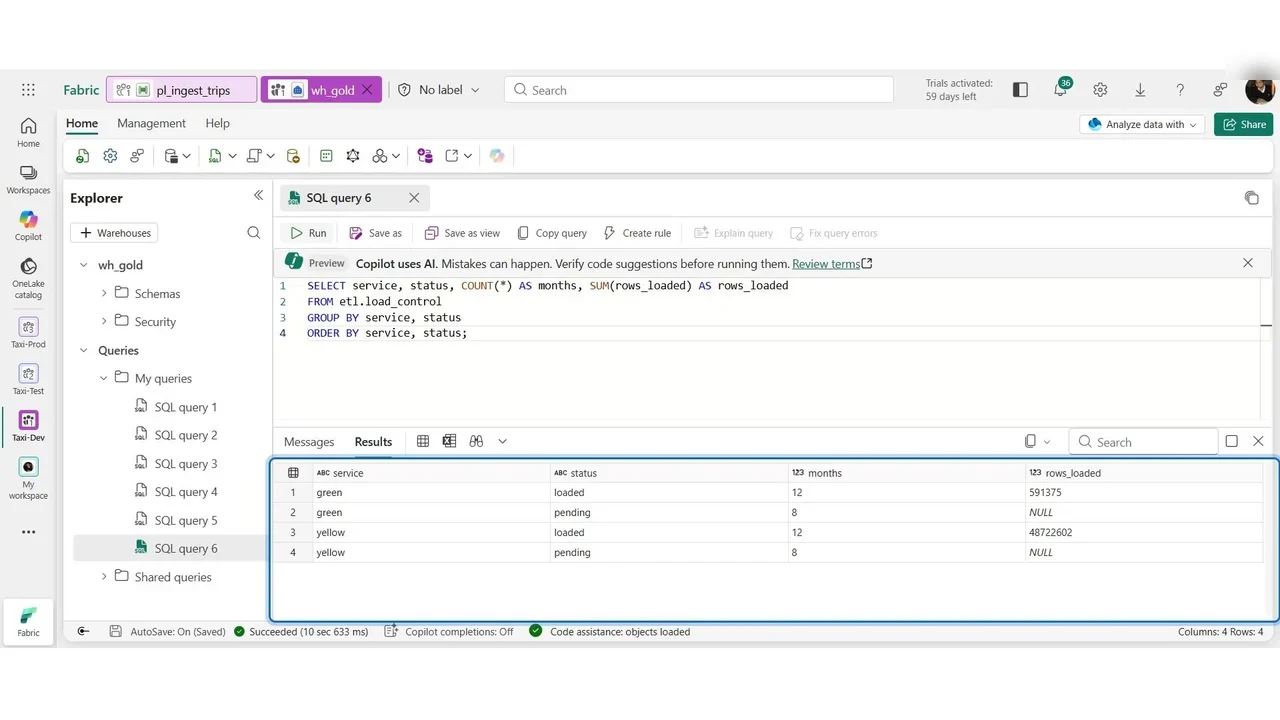
Query the control table by service and status: loaded months with their row counts, and the pending ones still waiting.
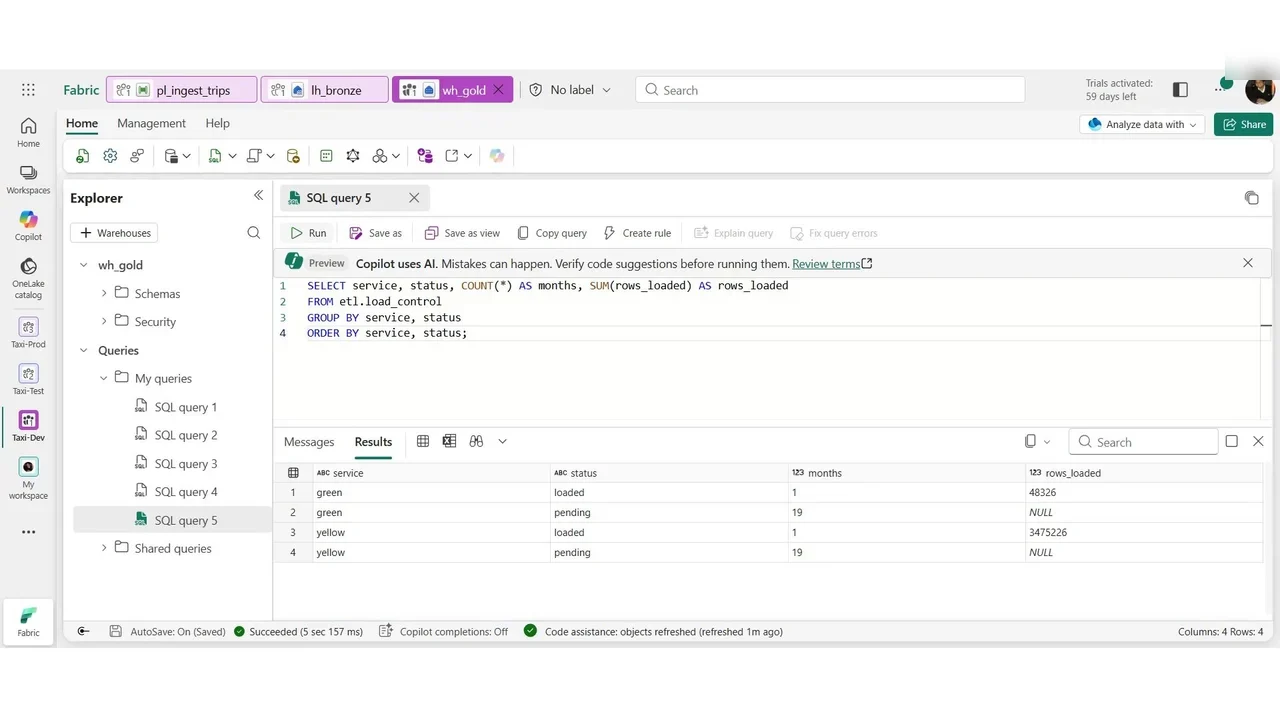
Then the full load of 2025 with a larger parameter value, and the same query shows every month loaded.
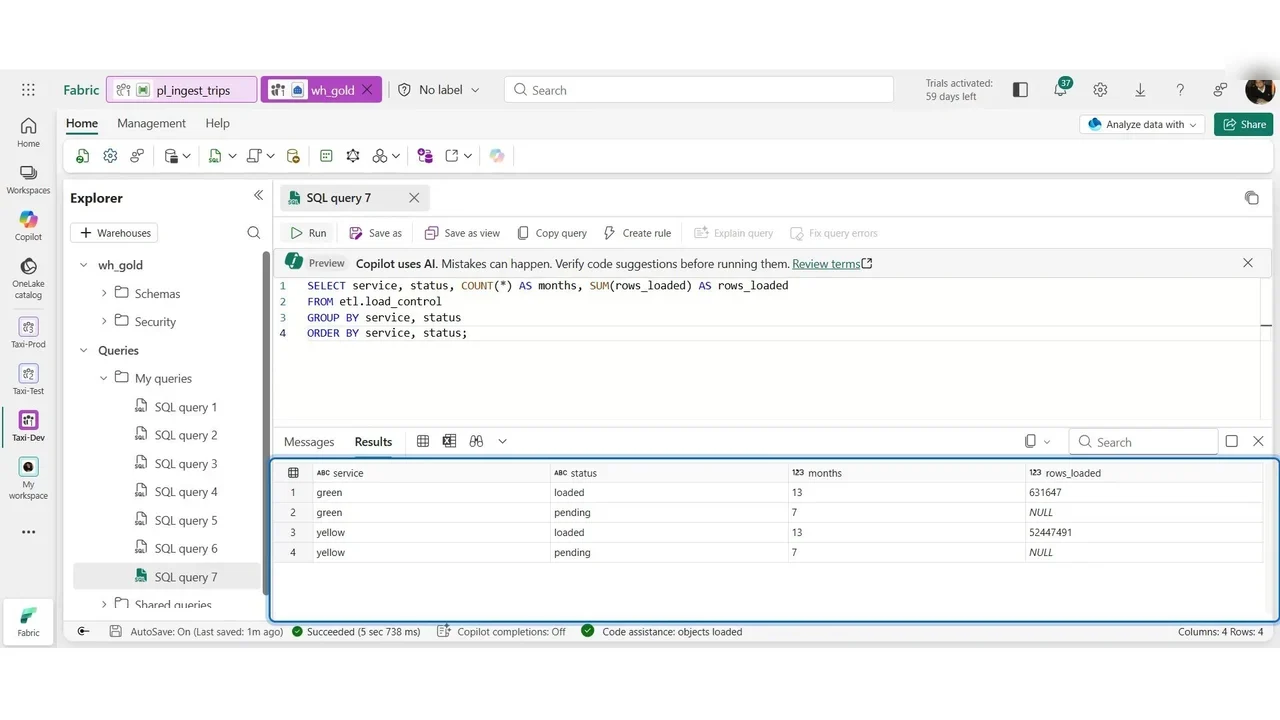
Finally an incremental run: only the newly published month is pending, so only it is loaded.
What a tech lead should take away
- A control table makes loads restartable and auditable: you can always see what was loaded, when, and how many rows.
- Parameters make test runs cheap, and the same pipeline does the full load.
- The same load can also be a Copy job, a simpler item for straightforward copies; the lab compares both.
Do it yourself
- The full DP-700 courseEvery Part, free on YouTube, in order
- Hands-on lab guideThe exact steps, what it costs, how to clean up
- Practice simulationRehearse every click in your browser; the first lab is free
- Mock examFree 10-question sample, then the full timed mock scored by domain
Lab guides, practice and full mock exams come with a subscription. See the plans