

DP-600 Step by step · Module 14
Dev to Test to Prod: Fabric Deployment Pipelines
Move a semantic model and report from dev to test to production in Microsoft Fabric: stages, workspaces, compare, deploy and deployment rules.

Everything so far was built by hand, in one workspace, and the report the sales director opens is the one we are still changing. A team separates that. In Module 14 of the DP-600 course, a deployment pipeline moves the Wide World Importers report from development to test to production.
Step 1: Create the pipeline and its stages
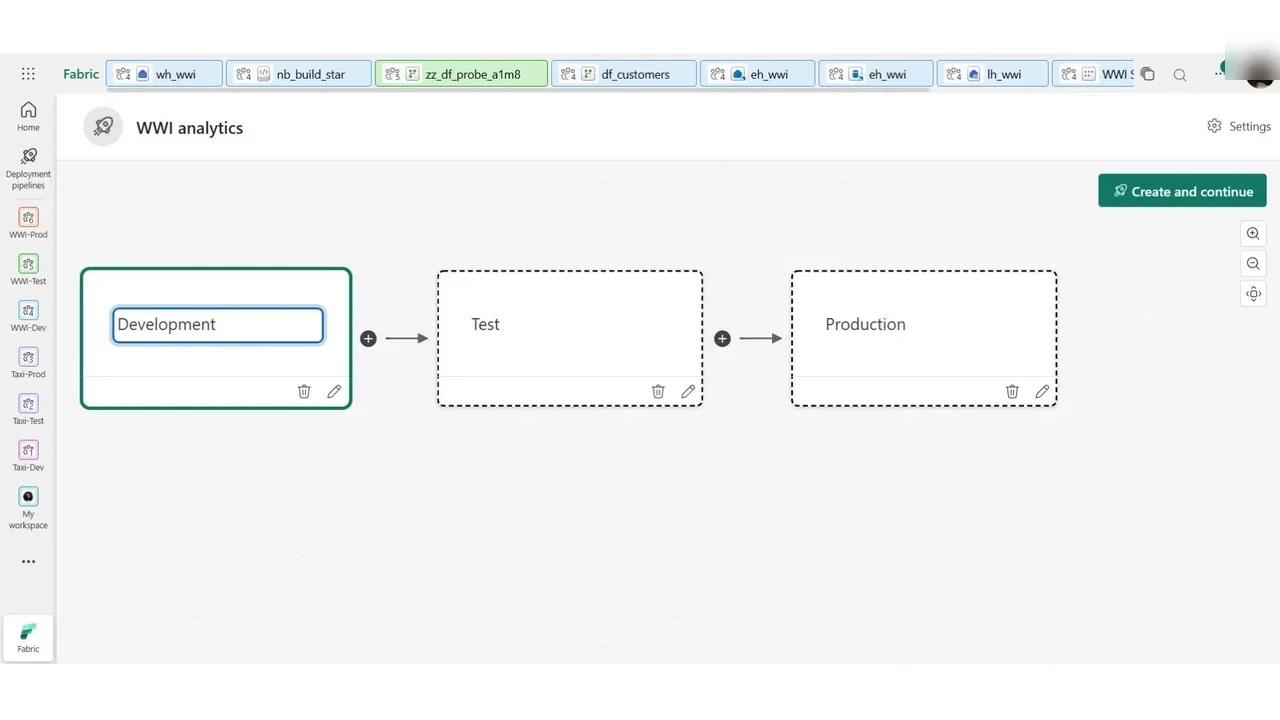
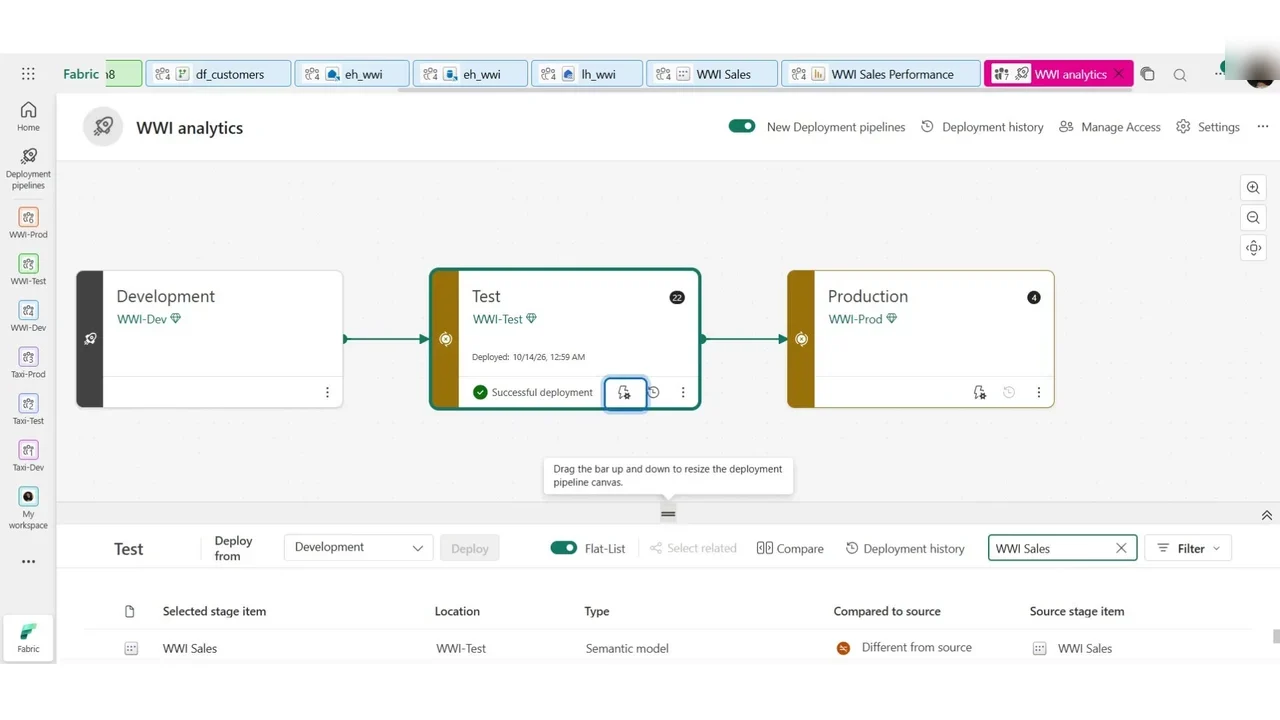
Create a deployment pipeline named WWI analytics. Three stages by default: Development, Test and Production. You may rename them and have anything from two to ten; three is what most teams use.
Step 2: One workspace per stage
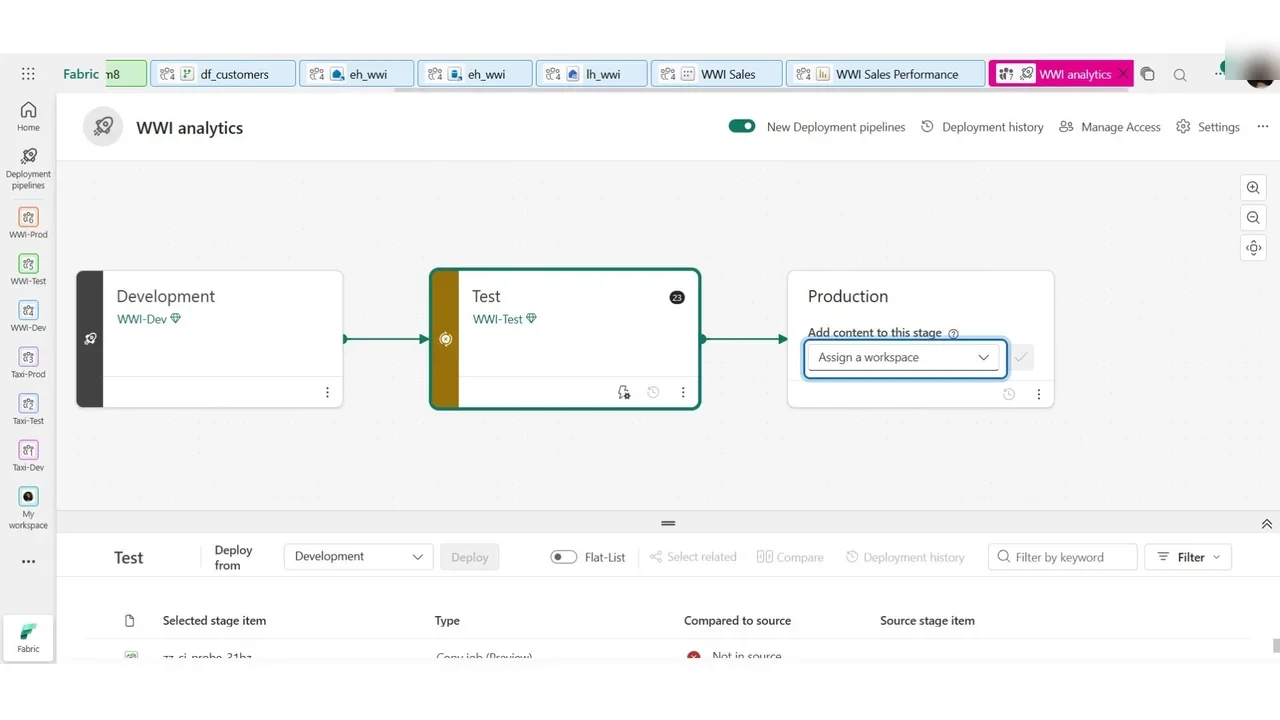
Assign WWI Dev to Development, WWI Test to Test and WWI Prod to Production. A workspace can belong to one pipeline only, and to one stage of it.
Step 3: Compare before you deploy
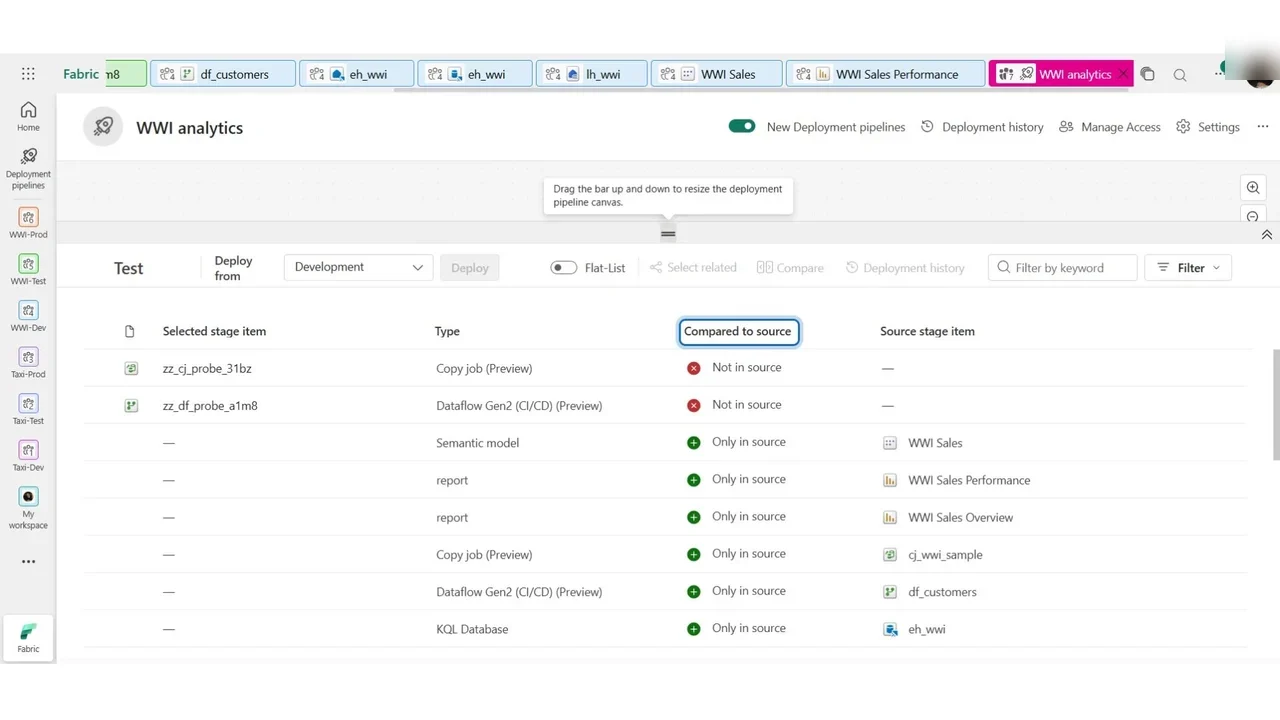
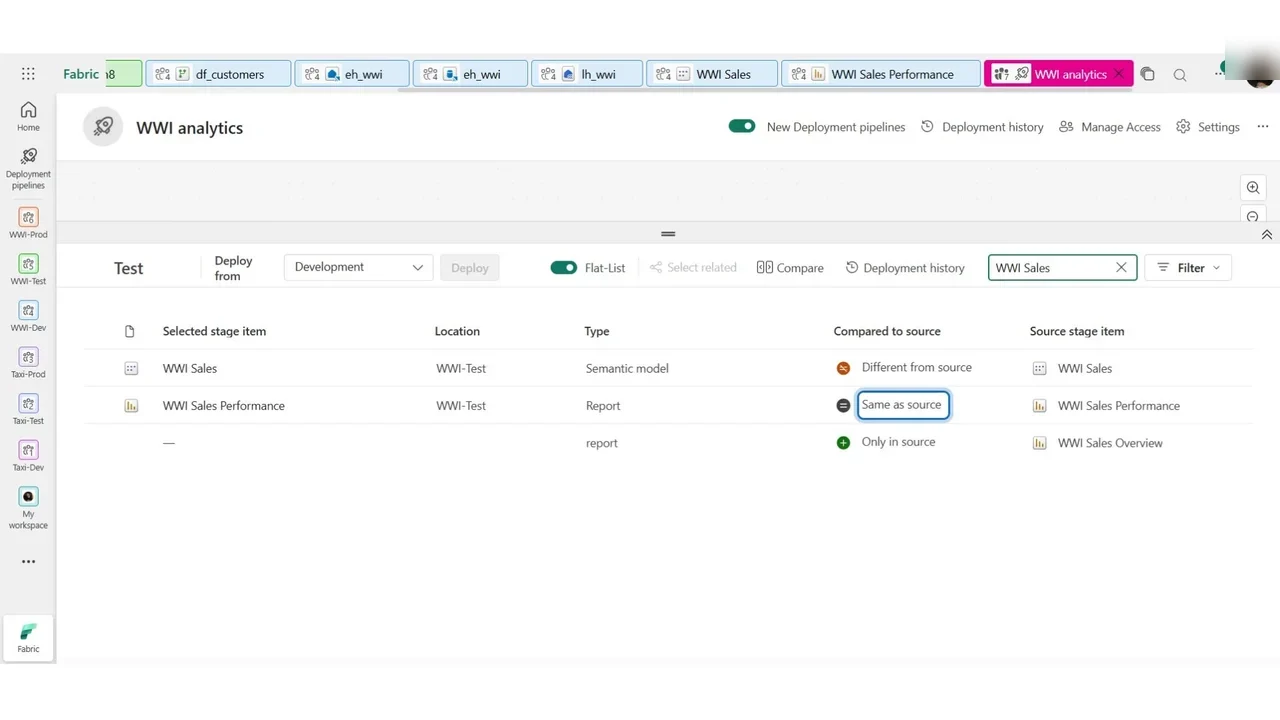
Select the Test stage. The lower half compares it with the stage before it, item by item, in the column Compared to source: Only in source (a deployment will create it), Different from source (Development has changed since), or Same as source.
Step 4: Deploy only what the business sees
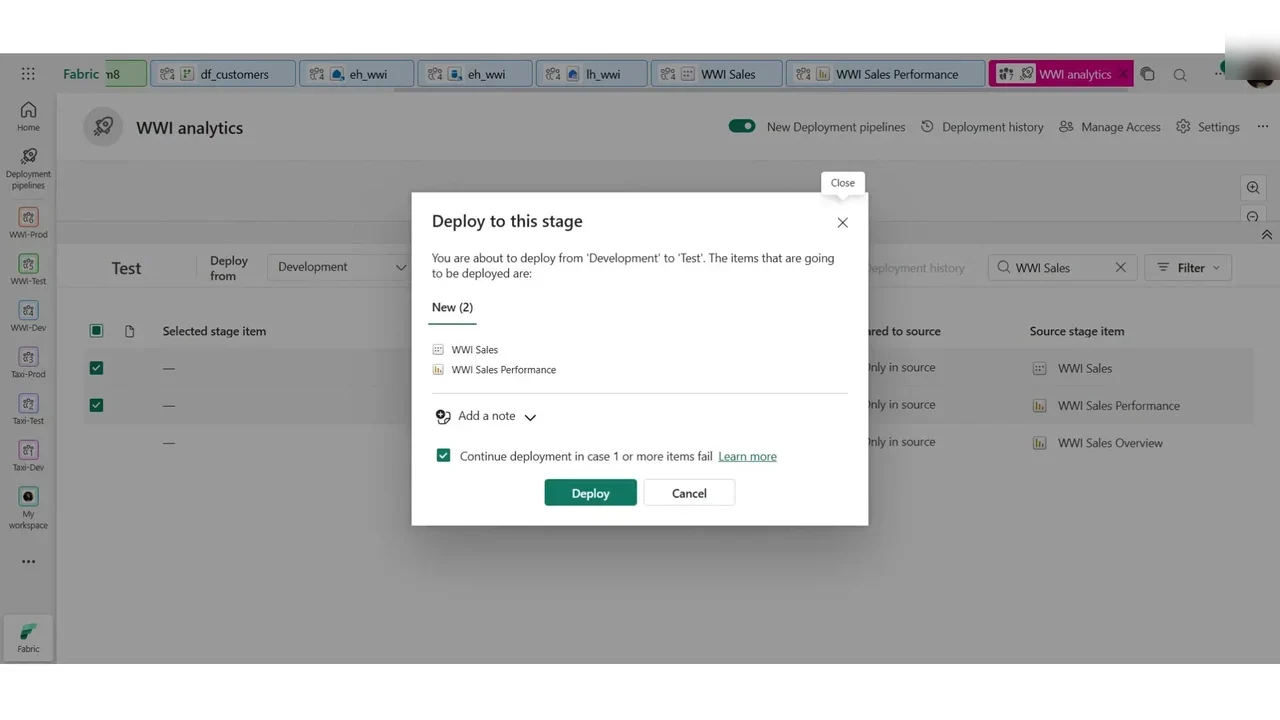
You do not have to deploy everything. Filter on WWI Sales, tick the semantic model WWI Sales and the report WWI Sales Performance, and Deploy. Add a note for the deployment history.
How you know it worked
Both items now exist in WWI Test, and the comparison says Same as source. They were paired by this first deployment, so the next one updates them instead of creating copies.
One thing a deployment does not do by itself
The model that arrived in Test still reads the lakehouse of Development. A deployment rule, set on the stage, changes that: for a semantic model, a data source rule points it at the test lakehouse.
What a tech lead should take away
- Nobody edits production by hand. Changes flow through the pipeline, with a history of who deployed what.
- Compare first, deploy selectively. Ship the items the business sees, not every experiment.
- Set deployment rules so test and production never read development data.
Do it yourself
- The full DP-600 courseEvery Part, free on YouTube, in order
- Hands-on lab guideThe exact steps, what it costs, how to clean up
- Practice simulationRehearse every click in your browser; the first lab is free
- Mock examFree 10-question sample, then the full timed mock scored by domain
Lab guides, practice and full mock exams come with a subscription. See the plans